Customer Experience
How To Add Signature On Forms And Its Importance? | Signature Question

Article written by Kate Williams
Product Marketing Manager at SurveySparrow

8 min read
30 May 2024


Customer Experience
Article written by Kate Williams
Product Marketing Manager at SurveySparrow
8 min read
30 May 2024
Since ancient times, signatures have been the bedrock of trust and agreement in transactions and documents. Fast forward to today, and the essence remains unchanged, though the methods have evolved.
The major reason for that is how quickly the world is shifting to a paperless mode of interaction. Every organization now wants to proceed in a tech-savvy manner. E-signatures or the ability to upload them is one of the ways to do that.
Why not use a signature on forms, then?
An intriguing question, right? You’ll find answers of equal measures here in no time. Just keep at it.
Signature on forms means that, as a survey organizer, you’re aiming to collect highly qualified data right from the start. These signatures are basically in the form of a question that you can add while creating a form or a survey.
So when a respondent fills it out from the comfort of his couch, the last question asks for his signature, either as an e-sign or an uploadable document containing the signature.
We can’t stress the importance of forms with a signature anymore, and it’s hard to fathom when we see form and survey builders without the ability to collect signatures and authenticate the data. But SurveySparrow is one-step ahead in that respect.
How? Continue reading.
The purpose of a signature form is multifaceted. From simple marks of identity to comprehensive tools of authentication and legal compliance, it has many uses. Here’s an overview –
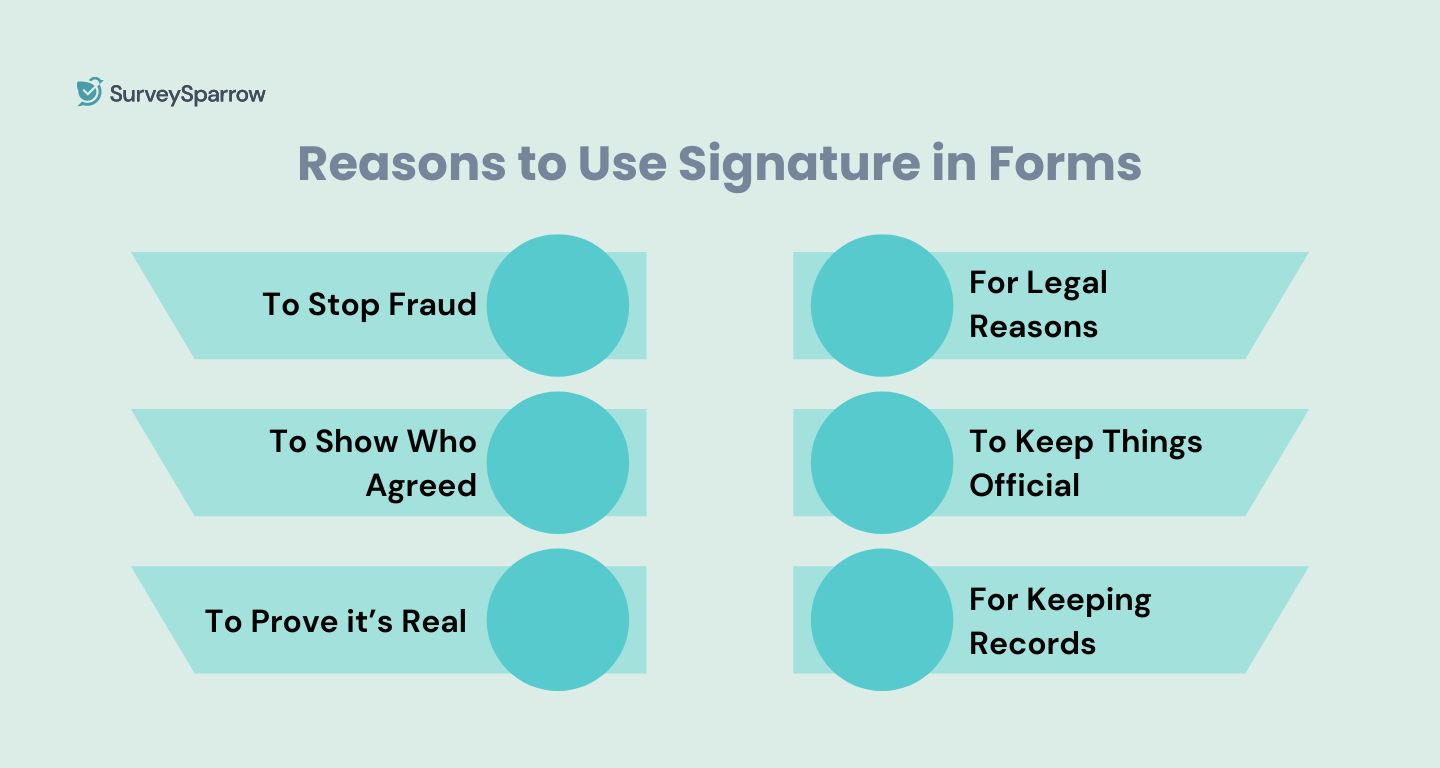
Signatures help prove that a document is really approved by the person whose name is on it, making it hard for others to fake.
When you see a signature, you know who agreed to the document or supports what it says.
As things got more complicated in business and law, we needed a sure way to show that agreements and documents are genuine. A signature does that.
When you sign something, you’re saying, “I agree to this and understand what it means.” This can be used in court to make sure people stick to their agreements.
Signatures turn a written promise or agreement into something that everyone involved agrees to follow. It’s what makes an agreement official and enforceable.
Signatures also help in keeping track of who agreed to what, making it easier to sort out any disagreements later.
Now, let’s see how you can add a signature to a form or survey.
At SurveySparrow, we understood right from the start that data is not important, efficient data is.
After the Covid-19 pandemic, data is now created at an unprecedented speed every day, hour, minute, and second! As such, the usefulness of a survey or form heavily depends on how well this data is analyzed.
You can add an option to add an e-signature in the forms with three simple steps.
The first and obvious step to start your surveys. No need to go anywhere. You click below to sign in to the platform. It’s free and offers a 14-day trial as well.
As shown in the image below, click on the “New Survey” option to start your free survey.
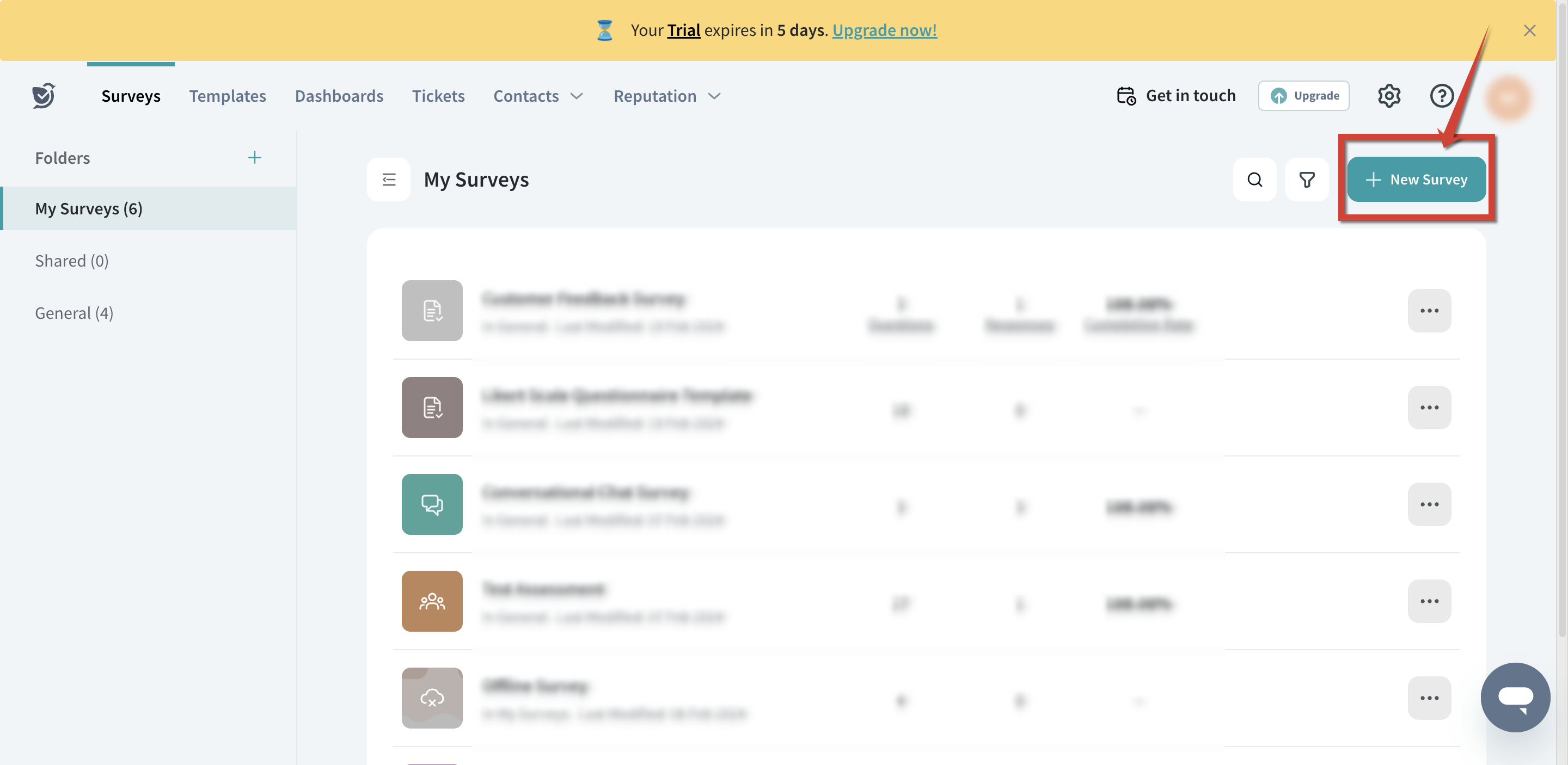
Once you have done that, add the “Welcome” and “Thank You” pages.
There are a lot of question types available in SurveySparrow to select from. You can either use the search option to find the signature question or simply scroll through the questions to find it.
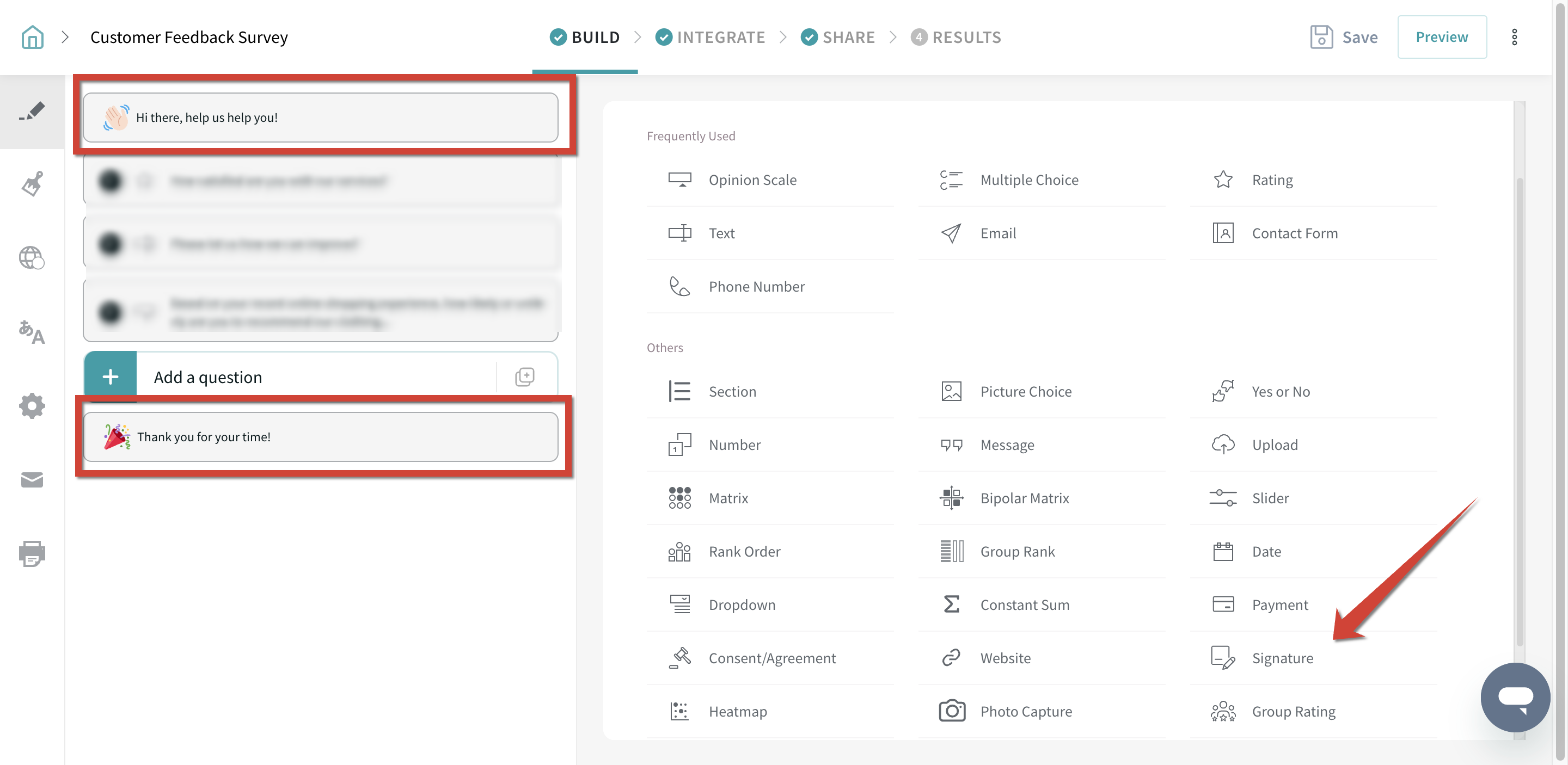
Click on it, add your question, and request your customers (users to add the signatures), and voila. The result will look something like the following.
Patient Information Form
Use This TemplateAuthentication is the first step toward a powerful analysis of collected data. That’s what makes signature on forms a serious topic for us, and that’s why we’ve kept a signature question type right at the start of the form or survey-building process.
So, as you can see from here, as soon as you are at “Build” inside the survey design process, you’ll see all the question types there are. And out of these, there’s one for collecting a respondent’s signature or initials, or for them to upload an image of the same.
Nothing more, nothing less. Put all your questions first, and at the very least, put out this signature question to authenticate a respondent.
Can it get easier than this? Well, compared to survey tools that make it extremely difficult to find the signature feature, SurveySparrow’s signature question type is the easiest version you’ll find.
Authenticity isn’t the only advantage associated with using form signatures, though it’s certainly a prime one. Here, with no further ado, are the 5 advantages to go with using signatures on forms;
As we know, signing online forms means authenticity.
Authenticity is one of the prime reasons to use signature questions on forms and surveys. See, authentication becomes more important when you’re planning to conduct mass surveys that are going to bring large amounts of data. In that case, respondent signatures lend instant and absolute credibility for you and your team to start analyzing this data.
The signature question type lets you input survey respondents’ digital signatures, taking out the risk of data being false.
Basically, a signature makes sure that the respondent has verified the input data with his signature. This again becomes quite essential when you’re on the field conducting surveys for a very large sample group where false data would be a total loss of effort and resources.
During survey data analysis, there are lots of cases where clarity is required from the respondent’s side. But how would that be possible without an identification like a signature? So, if you wish to track any respondent easily, including a signature question type in your survey or form is what you gotta do.
When conducting market research, such as product launches, a signature question type, especially one that supports electronic form signature, plays a key role in speeding up the overall process.
We’re not just saying it, but have seen our clients use a signature on forms to speed up the survey data collection. Try this question type and see for yourself.
When you know where exactly a data point has come from, isn’t it easier to manage better?
You can group people with similar answers in one category, and further analyze each one of them based on your requirements. How powerful would that make your entire survey data analysis? Just freakin imagine!
There you go. You know what signature on forms means, how to get it using one of the best survey software, and the 5 massive advantages of doing that. But create forms with signatures wherever you think it can add value. Because, as you’ve already seen, the value addition is immense.
We’ll leave you with this thought here. Get your next form signed, then!

A personalized walkthrough by our experts. No strings attached!


Thousands of brands trust SurveySparrow to turn feedback into growth. Try it free today!


Customer Experience
14 MINUTES
1 October 2023

Best Of
12 MINUTES
25 May 2024

Customer Experience
12 MINUTES
2 July 2018

Customer Experience
13 MINUTES
6 July 2023
14-day free trial • Cancel Anytime • No Credit Card Required • No Strings Attached

