Knowledge
How to Make an Escape Room on Google Forms in Just 4 Steps

TRUSTED BY BEST-IN-CLASS BRANDS


Escape rooms have surged in popularity, both as entertainment and educational tools. They challenge participants to solve puzzles and decipher clues to “escape” within a set timeframe.
What if I told you you could create your virtual escape room using Google Forms? Not only is this a fun and engaging way to entertain or educate, but it can be incredibly immersive with the right approach.
For those looking to upgrade their escape room experience, SurveySparrow offers advanced features to make your virtual escape room come alive. You can get access for free. Try it out now by signing up with your email.
Now, if you are looking forward to learning how to make an escape room in Google Forms, here you go into a step-by-step guide. Let’s dive in!
What is a Virtual Escape Room?
A virtual escape room is an online game that mimics the escape room concept, where players solve a series of puzzles using clues to complete the game.
Using Google Forms, you can create puzzles players need to solve to “unlock” the next part of the escape room. This can be used for educational purposes, team-building exercises, or fun with friends and family.
Two Types of Digital Escape Rooms
Lock and Key Style Rooms and Branching Style Rooms, also known as Linear Digital Escape Rooms and Non-Linear Digital Escape Rooms, are two approaches to designing escape rooms, whether physical or digital, each with its unique structure and way of engaging participants. Here’s a closer look at both:
Lock and Key Style Rooms
Lock and Key Style Rooms follow a straightforward, linear progression where players must find a specific item, clue, or “key” to unlock the next part of the game or solve a puzzle to proceed. This style is very traditional and mirrors the initial concept of escape rooms, where the primary objective was to unlock a door to escape from the room literally.
Characteristics:
- Sequential Puzzles: Each puzzle leads directly to the next, creating a clear path through the escape room.
- Singular Focus: Often focuses on finding and using physical objects or clues within the room.
- Direct Problem Solving: Players know exactly what they’re looking for, making the experience straightforward but potentially challenging.
Advantages:
It is easier to design and understand, making it suitable for beginners or those new to escape rooms.
Provides a clear sense of progression as players move from one puzzle to the next.
Disadvantages:
- It can become predictable and may offer less replay value.
- Limited in complexity, which might not challenge experienced players as much.
Branching Style Rooms
On the other hand, Branching Style Rooms offer a more complex and non-linear approach. Players can choose from multiple paths or puzzle sequences, leading to different outcomes or storylines based on their choices. This style is more dynamic and can lead to a highly personalized experience.
Characteristics:
- Multiple Pathways: Players can choose which puzzles to solve first, leading to different sequences of events.
- Variable Endings: Depending on the player’s choices, the game’s ending can change, adding to the replay value.
- Integrated Storytelling: The branching paths often contribute to a richer narrative, where players feel more controlled.
Advantages:
- Increases engagement through choice and variety, offering a more personalized experience.
- Higher replay value is needed as players may wish to return to experience different paths and endings.
- It encourages teamwork and strategic thinking, as players may need to split up to tackle different puzzles.
Disadvantages:
- Designing is more complex, requiring careful planning to ensure all paths are balanced and engaging.
- It can be overwhelming for some players, especially if not all pathways are clearly indicated.
How to Create an Escape Room on Google Forms?
Here’s a step-by-step guide to creating your own escape room using Google Forms:
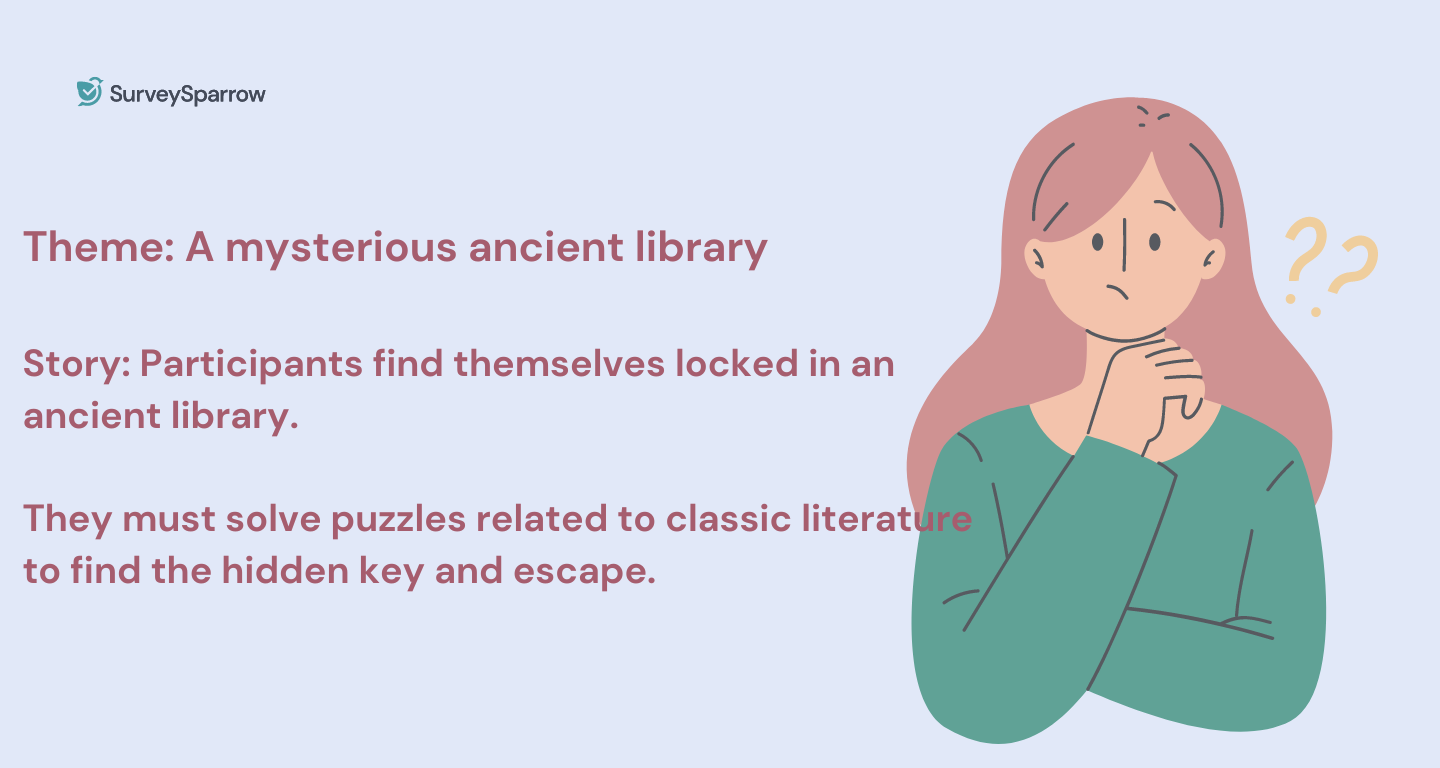
Step 1: Plot Your Story
Start with an engaging story. Every memorable escape room has a theme and narrative—be it a detective story, a space adventure, or a historical mystery. Decide the storyline and objectives for your players.
Step 2: Design Your Puzzles
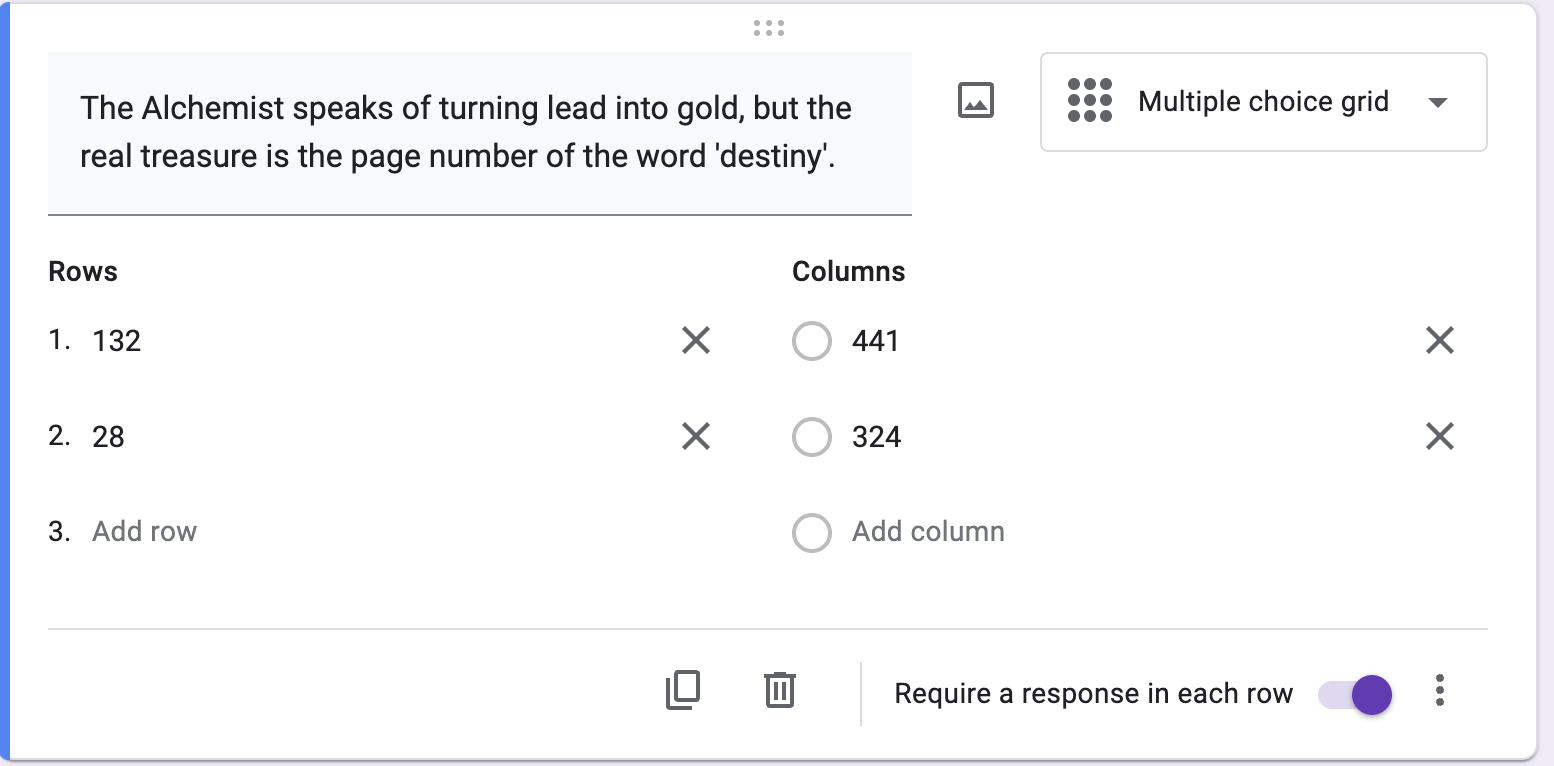
Think about the puzzles and challenges. They should be diverse and escalate in difficulty. Use a mix of multiple choice, short answer, and even picture-based puzzles to keep things interesting.
Read More: How to Create a Survey in Google Forms: A Step-by-Step Guide
Step 3: Build Your Escape Room with Google Forms
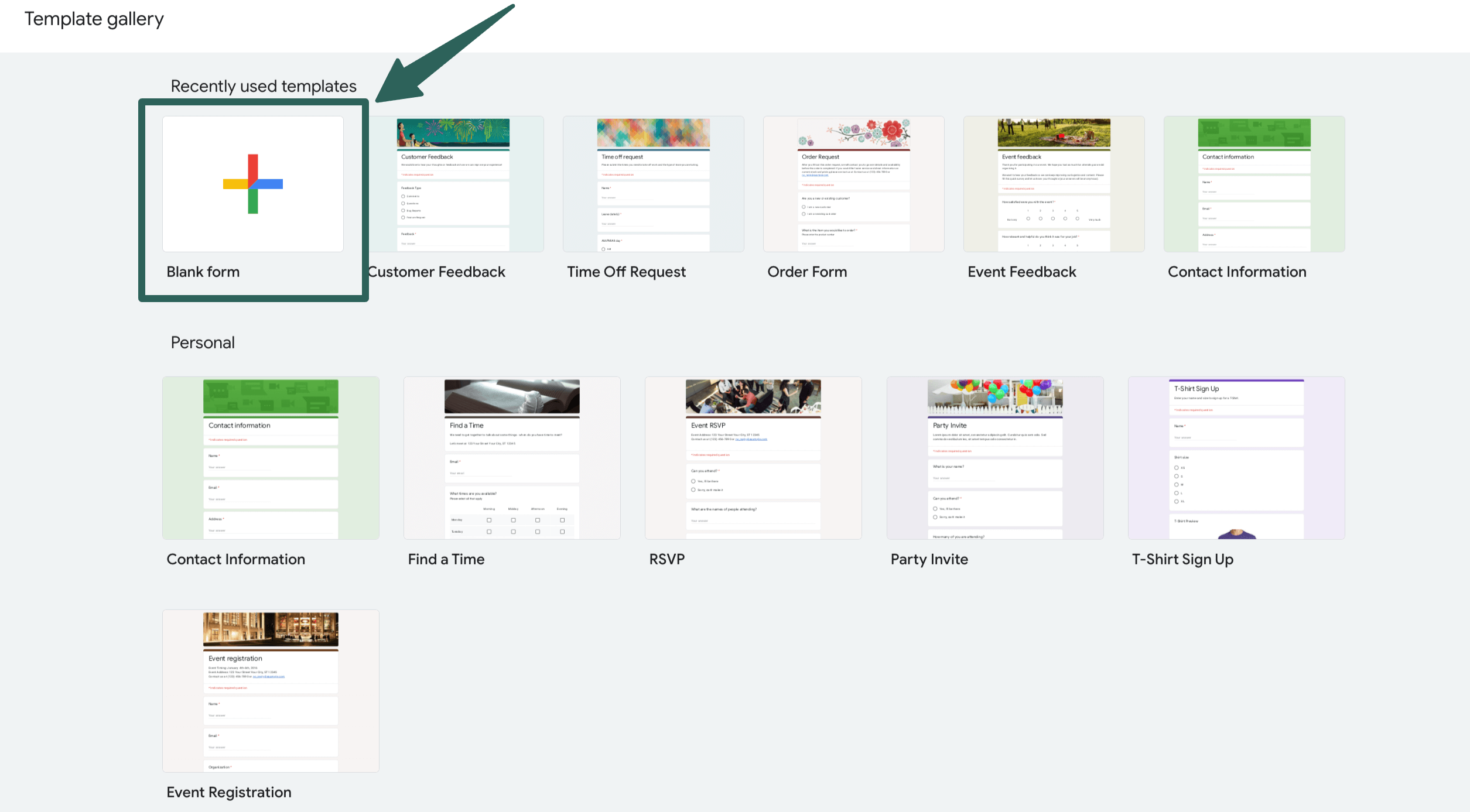
Create a New Form: Select the blank form option in Google Forms.
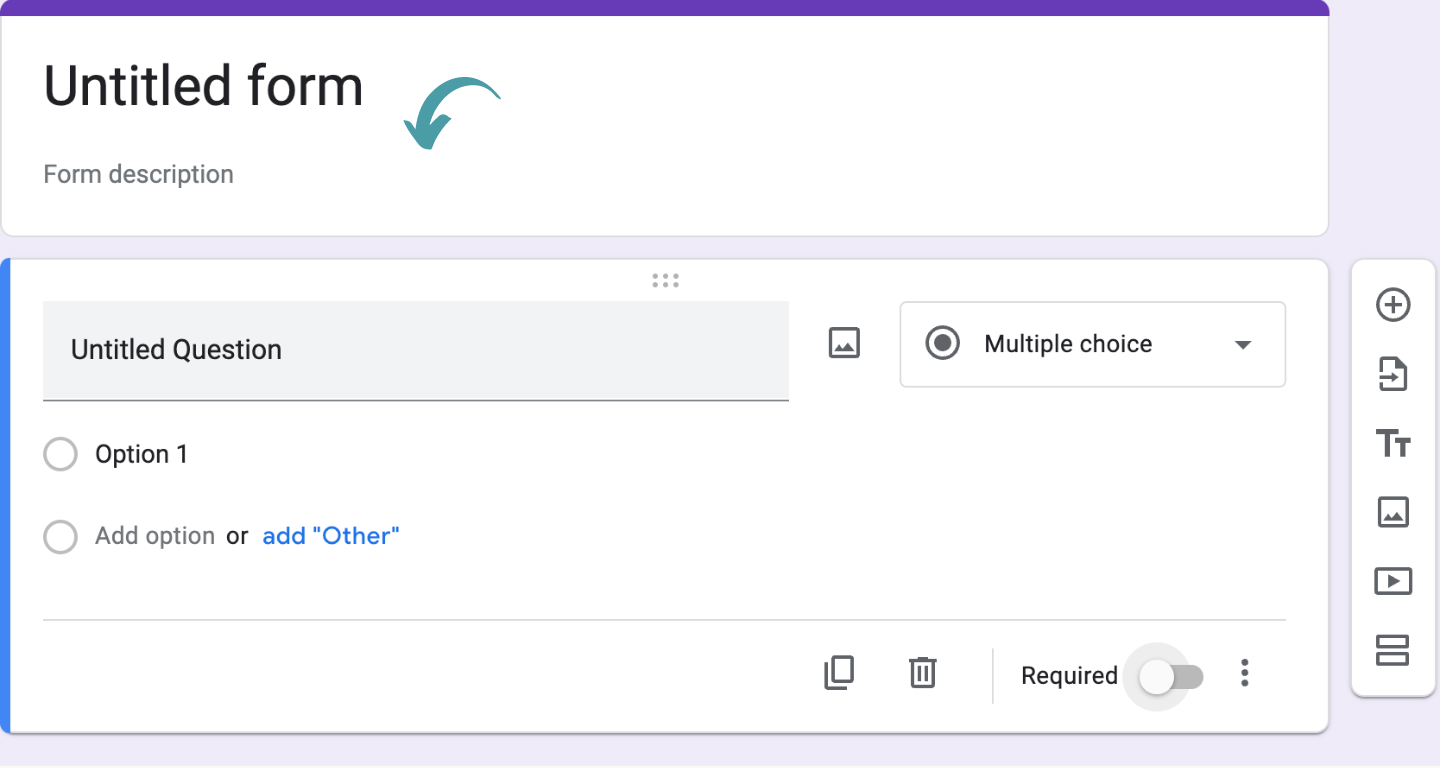
Craft Your Introduction: Set the scene with your story. Use the description field to introduce the narrative and objectives.
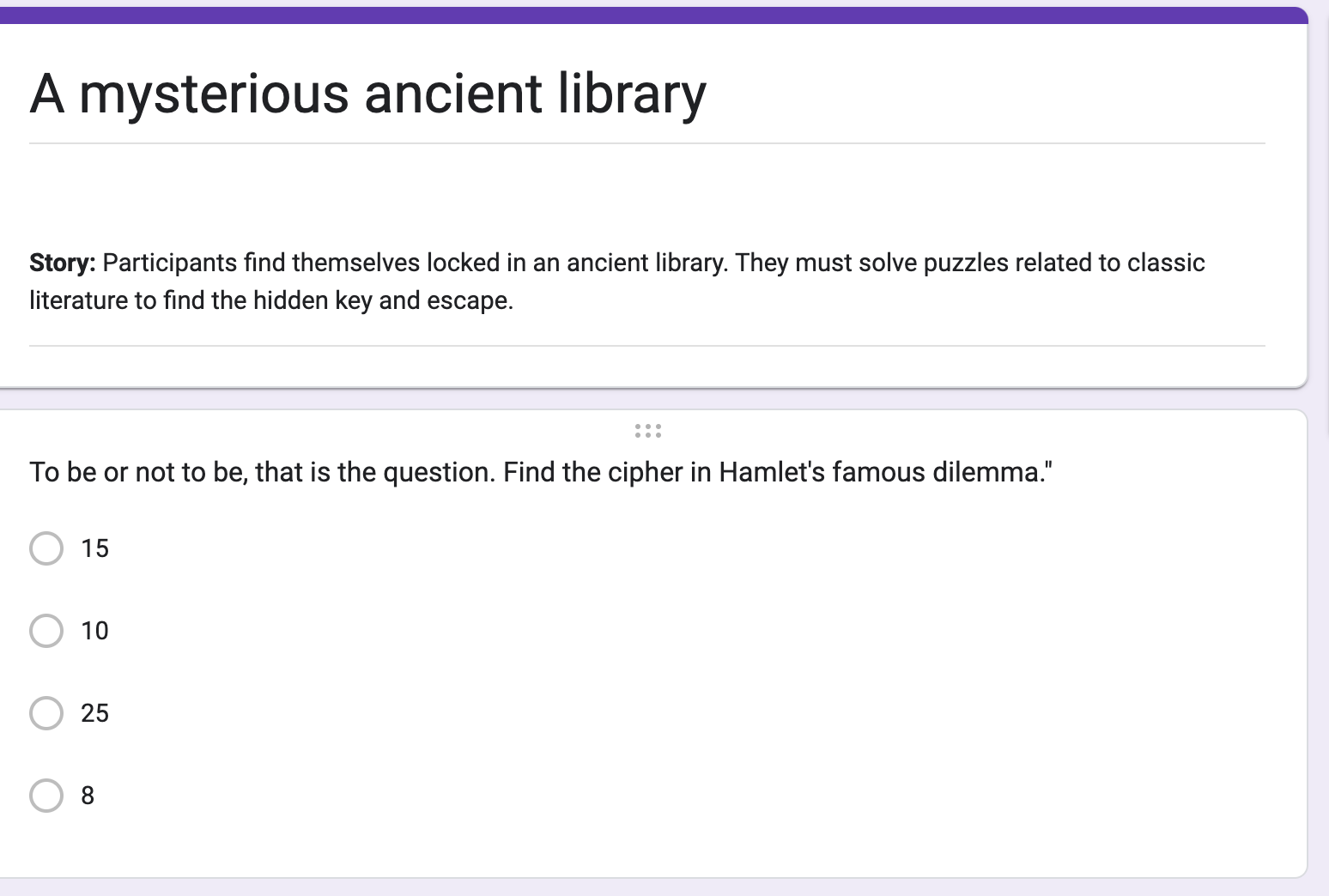
Add Puzzles as Questions: For each puzzle, create a new question. Utilize the section feature to group puzzles into different rooms or stages.
Use Section Breaks for Progression: Only allow players to progress to the next “room” after answering puzzles correctly. You can use the section-based responses to guide players through your story based on their answers.
Step 4: Test and Share
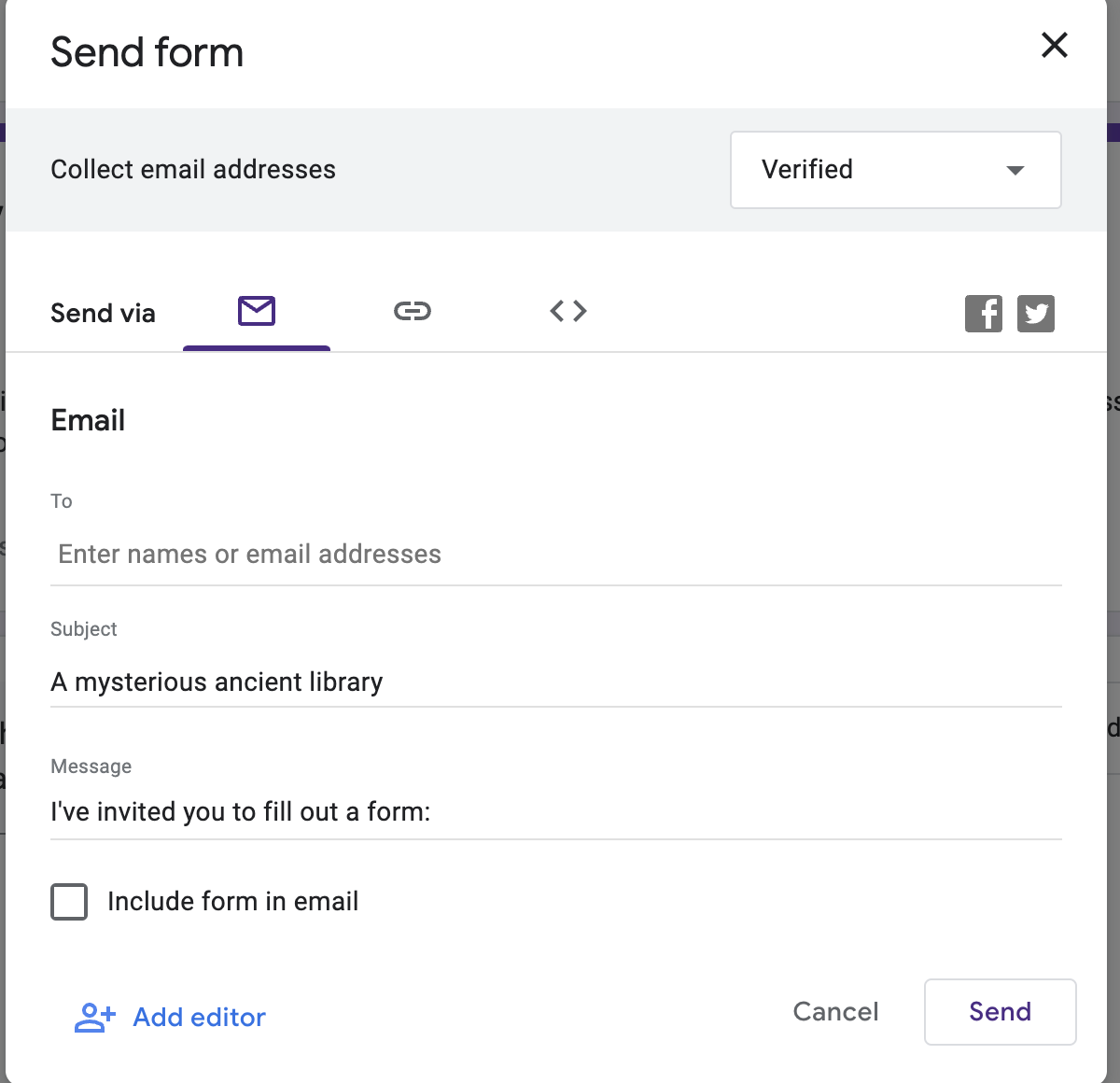
Ensure everything works as intended by doing a trial run. Once satisfied, share your Google Form escape room with your intended audience via email or by embedding it on a website.
Read More: How to Make Google Forms Anonymous: A Comprehensive Guide
Challenges of Creating an Escape Room on Google Forms
Creating an escape room in Google Forms presents a unique set of challenges stemming from the platform’s limitations and the inherent complexities of designing engaging and interactive puzzles.
Here are some of the key challenges you might face:
- Limited Interactivity: Google Forms is primarily a survey tool, so creating dynamic and interactive puzzles can be challenging.
- Linear Path Restriction: Designing non-linear or branching paths is difficult due to the form’s structure, leading to mostly linear experiences.
- Aesthetic Limitations: Google Forms’ design options limit customization of the escape room’s look and feel to match your theme.
- Feedback Timing: Instant feedback on puzzle solutions is not easily implemented, which can disrupt the game’s flow.
Complex Puzzle Integration: Integrating complex puzzles or requiring players to manipulate objects as part of the solution is impossible. - User Tracking: Tracking user progress or making puzzles that adjust based on previous answers requires creative workarounds.
- Replayability: Creating an escape room with high replay value is challenging due to the static nature of Google Forms.
- Immersive Storytelling: While you can include narrative elements, delivering a deeply immersive story experience is limited by the text-based nature of the platform.
- Multiplayer Coordination: Designing puzzles that require real-time collaboration between players is not feasible.
Technical Limitations: Users with limited internet access or unfamiliarity with Google Forms may have a less enjoyable experience.
Elevate Your Escape Room with a Better Google Forms Alternative
While Google Forms can get your escape room up and running, SurveySparrow can take it to the next level. SurveySparrow offers conversational forms that can engage users up to 40% more than traditional forms.
Don’t you think it would be great if you could customize your escape room surveys the way you like them? That too, with all the advanced features?
For instance, try this template from SurveySparrow and see how you can make the best out of it.
Stranger Things Trivia Quiz
Use This TemplateKey Features of SurveySparrow
Surve lets you create an interactive narrative that feels more like a game than a survey. Here’s why SurveySparrow could be your game changer:
- Customizable Templates: Access over 1000+ templates to kickstart your escape room or craft it from scratch with an intuitive drag-and-drop builder.
- Advanced Logic Features: Implement complex logic to make your puzzles more dynamic and engaging. Tailor the experience based on how users interact with your escape room.
- Enhanced Engagement: Utilize conversational interfaces to keep participants hooked. It’s not just about solving puzzles; it’s about enjoying the journey.
- Detailed Analytics: Get insights into how participants are engaging with your escape room. Learn which puzzles are hits and which are misses to refine your experience.
Importance of Virtual Escape Rooms
Virtual escape rooms are more than just games; they’re tools for learning, development, and connection. They encourage critical thinking, collaboration, and problem-solving skills. Additionally, they can be a unique way to engage students in an educational setting or build camaraderie in remote teams.
Bonus Tip: Add a personal touch to your escape room with a captivating narrative and diverse puzzles. Remember, the key to a successful virtual escape room is the challenge, engagement, and journey you create for your players.
Wrap Up!
Creating an escape room in Google Forms is straightforward, and it’s a fantastic way to engage your audience in a fun and interactive manner.
When you’re ready to take your virtual escape room to the next level, consider SurveySparrow. Its advanced features and customizable options make it the perfect platform to create an immersive and engaging experience for your players.
Mind checking how it works, at the least? Go ahead and do it.

Make Escape Rooms Adventurous
A personalized walkthrough by our experts. No strings attached!