General
How to Convert Excel to PDF Online: Three Easy Ways

TRUSTED BY BEST-IN-CLASS BRANDS


There is a lot you can do with spreadsheets – twenty six, to be exact.
However, there are a lot of people who don’t have, don’t use, or just don’t like Excel. So, here’s a quick tutorial on how to convert Excel to PDF for their benefit. We will be using three easy methods with tools you can find online.
Method 1: How to Convert Excel to PDF with Google Sheets
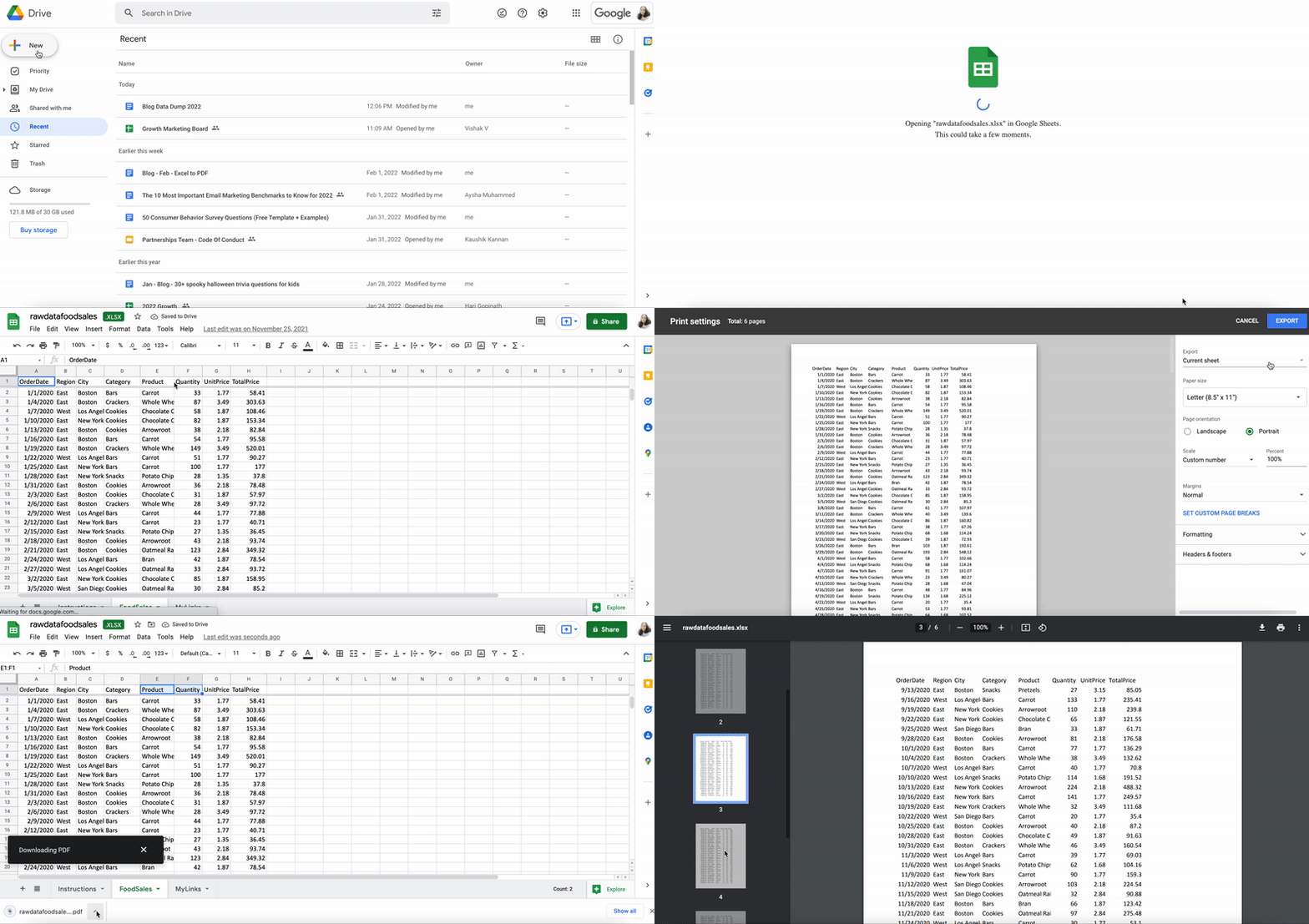
- Upload your Excel file to Drive.
- Click to open. It will automatically open with Google Sheets.
- Now go to the File option on the menu bar. Scroll down to ‘Download’ and click on PDF(.pdf).
- Done! Your Excel is safely saved as a PDF.
Pro tip: You can download your survey data as pristine PDFs in SurveySparrow Results. Here’s how:
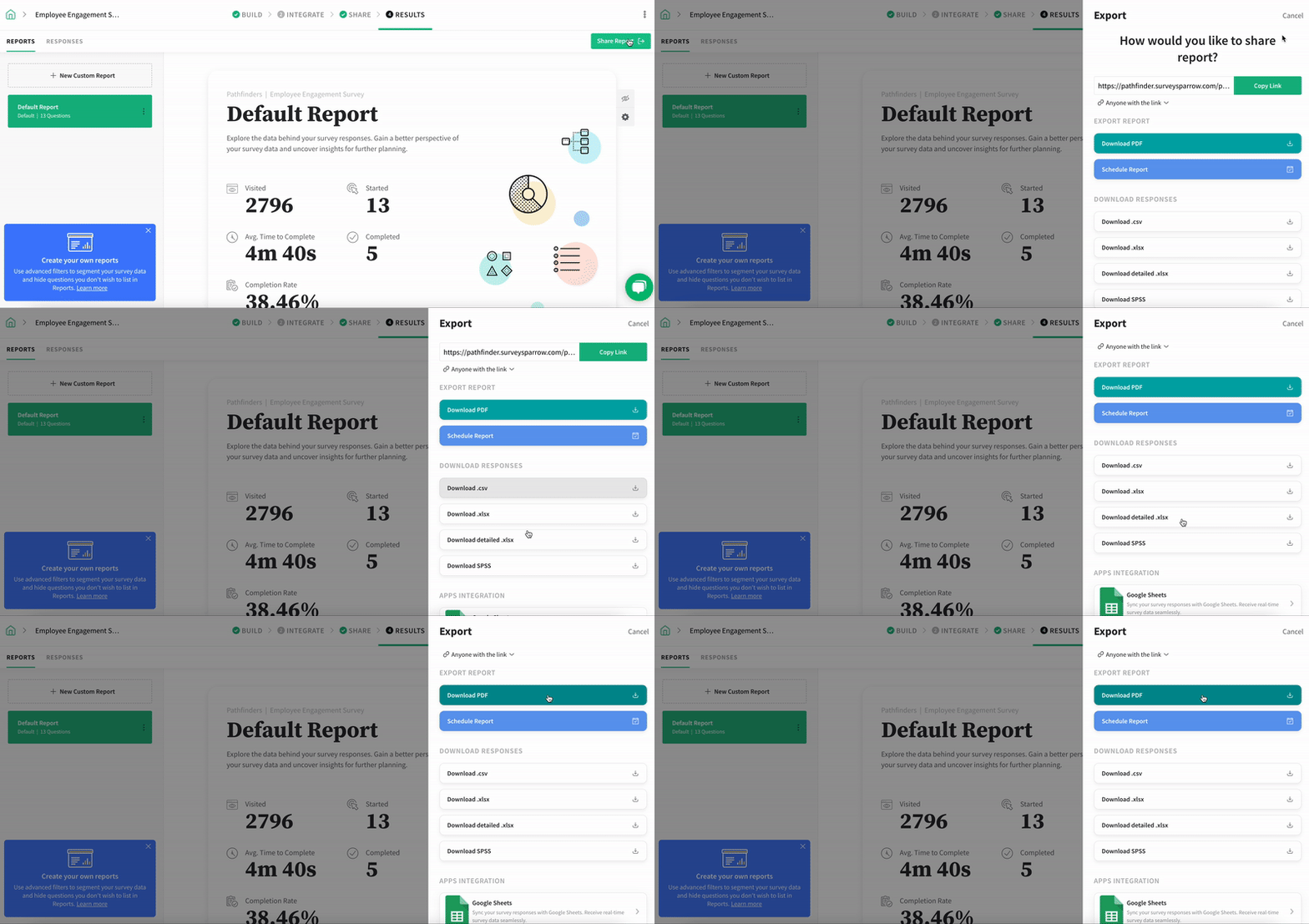
- Click on Share Report.
- Download your report as a PDF or a copy of the responses as an Excel file.
- If your account is HIPAA-enabled, you can also share as a password-protected link.
Interested in trying out our features? Claim your free trial below.
Method 2: How to Convert Excel to PDF with Free Conversion Tools
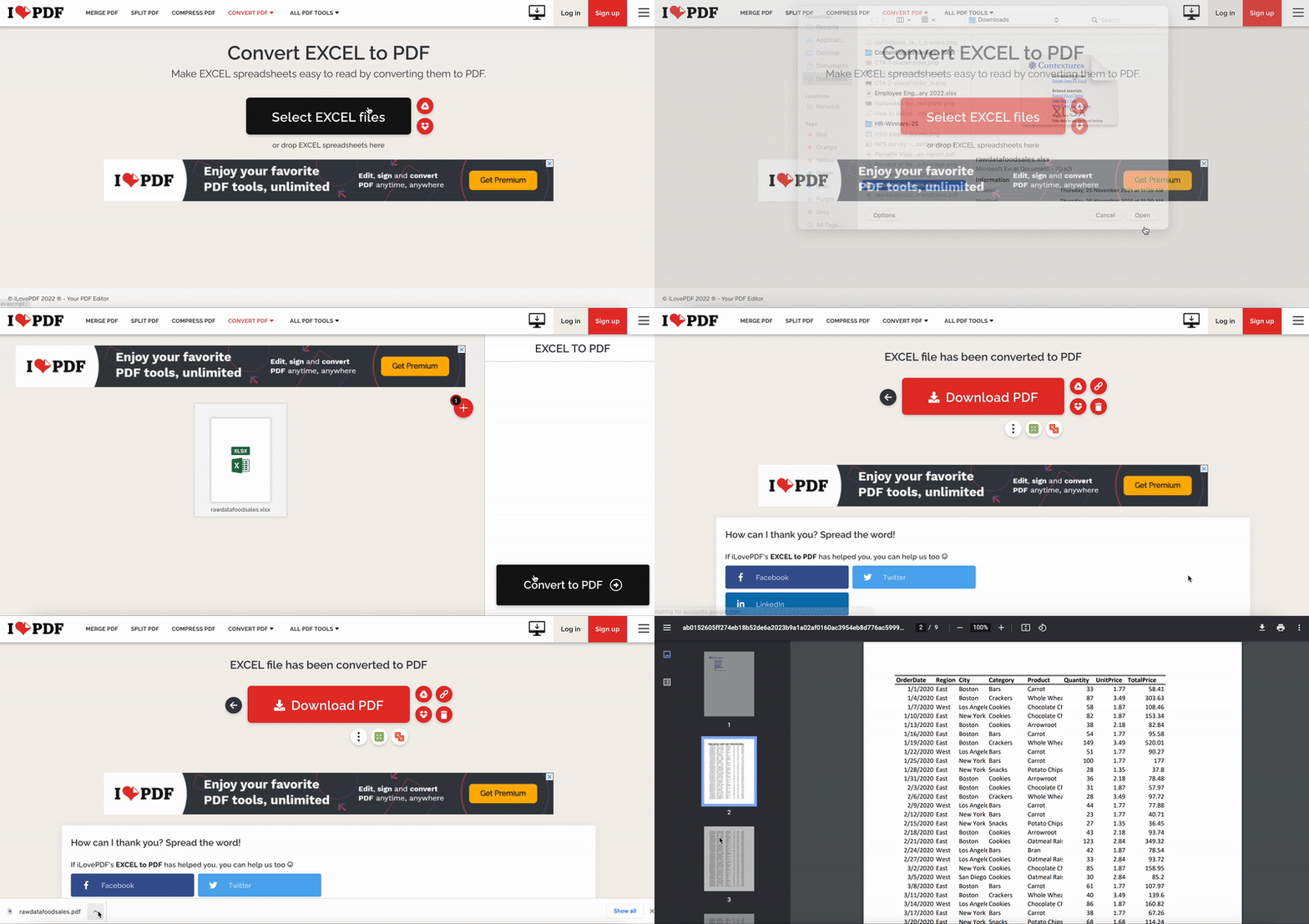
- Choose a free conversion tool like ILovePDF or SmallPDF. For this example we will be using ILovePDF.
- Choose your file and upload. You can add as many files as you like.
- Click Convert to PDF.
- Done! Your file will automatically download after a few seconds’ delay.
Fun fact: Fancy yourself an Excel guru? You might be interested to know that there actually is a Financial Modeling World Cup – an Excel esports event, sponsored by Microsoft, with prizes totaling $25,000!
Method 3: How to Convert Excel to PDF with Acrobat
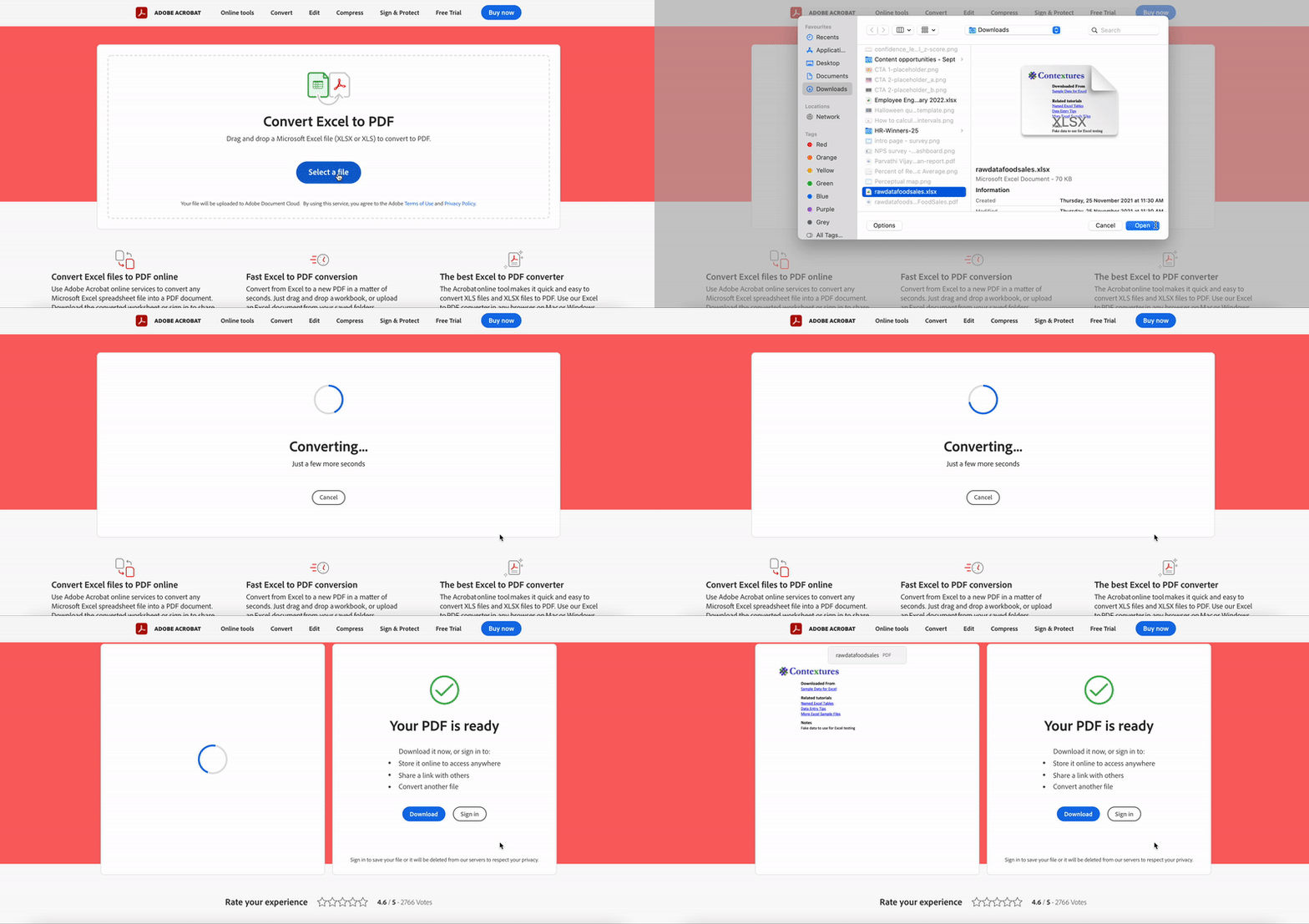
- First things first, you will need an Adobe account.
- Once you log in, head to their Acrobat online converter tool.
- Click Select a file and upload your file. This will automatically start the conversion process.
- Bam, done! Download your file, store it in Adobe’s document cloud or share a link to the file with your collaborators for easy viewing.
Fun fact: The PDF format was invented by Adobe in the 1990s. They launched it through Acrobat; users had to pay a flat fee of $50 per user to create and view PDFs. It wasn’t until 2008, when Adobe released a public patent, that PDFs became free to create and use.
Wrapping Up
That’s it folks – here are our top three methods on how to convert Excel into PDF. We hope you find them useful.
PS: Got questions about SurveySparrow? We’re just a chat away!