But what if I tell you the team and I have researched for you? That’s right; we went in-depth and came up with all you need to know to make an informed decision.
But, before that, let me give you an overview of the two platforms.
If you want to jump right ahead to the comparison, feel free to do so.
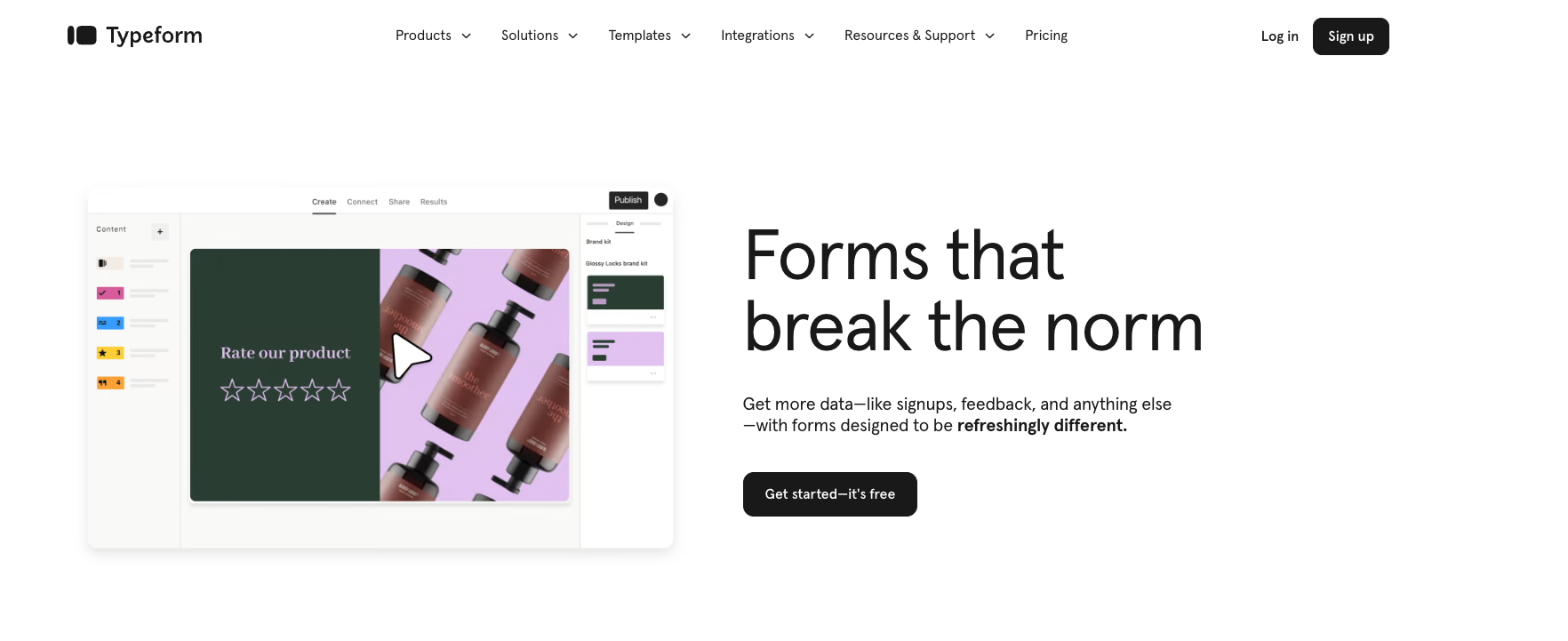
Typeform is the visual master of form builders. It was founded in 2012 by David Okuniev and Robert Muñoz, two web designers who shared the same view.
The platform steps away from the traditional forms by offering an interactive model to the customers. It offers an intuitive interface and advanced features to enhance user engagement and streamline form-building.
Now, the sleek design is one to speak for. With it, Typeform has garnered widespread acclaim in online surveys and data collection.
G2 Rating: 4.5/5 (710 reviews)
Key Features
Conversational interface: Dialogues create a long-lasting impression compared to monologues. With the platform, you can give a more engaging and user-friendly experience.
Conditional logic: Ask only what is required and show what’s important. Personalizing the form experience by branching questions based on previous responses.
Multiple Question Types: Engage the audience with various question formats, including multiple-choice, open-ended, and Likert scales.
Design Options: I can’t go without mentioning it. (Again) Typeform offers a variety of themes and customization options to match your brand identity.
Ade Olonoh created Formstack in 2006. The platform offers a comprehensive suite of tools to simplify the form-creation process and is renowned for its versatility and scalability.
Businesses of all sizes can collect and manage data effectively, driving operational efficiency and informed decision-making. It has something for everyone.
G2 rating: 4.4/5 (399 reviews)
Key Features
Advanced logic branching: The platform enables intricate conditional logic workflows for complex forms. Build smart web forms that speak to your audience!
E-signatures: Allows for collecting legally binding signatures directly within the form. You don’t have to wait around for paperwork.
Payment integrations: Facilitate secure online payments through Paypal, Stripe, and other integrations.
Detailed analytics: It offers in-depth reporting and data analysis capabilities. Pinpoint the issues with Field Bottleneck or enable UTM tracking.
Vieoask: Connect directly with your customers with video forms. This can enhance engagement levels.
Formless: Collect more data with AI forms. Reach audiences around the globe with forms that speak 120+ languages.
Conversational format: It’s almost like you are having a chat with your friends. You can present questions sequentially, mimicking a dialogue for a more engaging experience.
Multiple question types: You can choose from a whole array of question types – whether it’s picking your favorite option, typing out your thoughts, or even rating. (Multiple choice, open-ended, Likert scales, picture choices, and more)
Logic branching: One-size-fits-all forms that can’t cater to your unique needs. Branching questions based on previous responses lets you personalize the experience.
Progress bar: Typeform takes away the guesswork. Provides users with visual progress throughout the form, increasing completion rates.
Formstack
Efficient Setup: Use File import forms, display questions one at a time, and enable save-and-resume functionality for smoother data collection for smooth surveys.
Centralized Control: Manage fields like a pro based on user input. You can personalize forms with conditional logic and enhance brand recognition with custom subdomains.
User-Friendly Design: You can build professional forms with a drag-and-drop builder, customize themes and CSS, and ensure accessibility with compliant forms.
Enhanced Data Collection: Get e-signatures on the fly, save time with pre-filled fields, and ensure your forms look great on any device.
Efficient Optimization: Streamline the process for both employees and customers. Create responsive forms to improve efficiency with SSO-powered prefill.
2. Ease of Use
Typeform
With its intuitive layout, aesthetic design, and seamless navigation, Typeform captivates users. It enhances user experience, resulting in higher engagement and satisfaction.
The drag-and-drop builder makes form building a piece of cake.
Formstack
Formstack offers a user-friendly interface, it may appear slightly more traditional compared to Typeform’s avant-garde design.
However, the former compensates with its robust functionality and comprehensive feature set.
3. Templates
Typeform
Typeform offers various templates that can be customized to suit different needs and preferences.
The forms are a sight to behold! They have many well-designed pre-designed templates.
Formstack
Formstack hooks you with ready-to-go templates for both forms and documents, saving you heaps of time and energy.
With over 300 versatile templates in their arsenal, you’ll find the perfect fit for all your project needs.
4. Analytics and Reporting
Typeform
Drill down each user’s progression through the form, identify drop-off points, and integrate with Google Analytics, Tag Manager, or Zapier for additional insights.
The reporting and analytics features are also basic compared to its competitors.
Formstack
Formstack stands a bit in the frontline here. The platform offers advanced analytics features to dive deep into your data.
You’ll get a comprehensive view of your form performance, from raw figures to eye-catching graphs.
Calculate conversion rates easily, track abandonment rates effortlessly, and integrate with other software solutions for advanced data analysis.
5. Integrations
Typeform
You get an array of useful integrations with Typeform. Hey, you can check Typeform Integrations for a detailed outlook. Here, we will look into a few major categories.
For CMS, you have Contentful and Hubspot.
In terms of File Management, you get Hubspot, Google Docs, and Dropbox, to name a few.
When it comes to CRM, you get ActiveCampaign, Drip, and Lime Go, to name a few.
If you need Accounting needs, Free Agent, Freshbooks, and Google Sheets will be of help.
6. Offline Forms
Typeform
Typefrom, surprisingly, does not offer an offline form service. That means you need internet anytime, anywhere.
Currently, they have an ongoing offline beta program where users can create and collect data offline using specific instructions provided by the platform.
Formstack
Paired with Formstack Go, their offline forms let you collect data at the remotest of corners.
Once your team members reconnect to the web, everything seamlessly falls into place, ensuring smooth and uninterrupted collaboration.
7. Security
Typeform
Typeform adheres to various international standards like ISO 27001, ISO 27701, SOC2, GDPR, and HIPAA to ensure data protection and privacy.
They provide transparency about their security practices, encourage secure procedures from both sides and offer features like multi-factor authentication and single sign-on (SSO) for enhanced security.
Formstack
Formstack follows all the rules to keep your information safe. They follow HIPAA, PCI, GDPR, and WCAG standards.
They use invisible reCAPTCHA and secret passwords to keep them safe. Your documents are well protected. SSL, encryption, and firewalls keep them safe from harm.
Now comes the most important point.
8. Pricing
Typeform
Typeform has something for everyone.
Plan Name
Price
Basic Plan
$29/month
Plus Plan
$59/month
Business Plan
$99/month
Enterprise Plan
Contact Sales
A free plan is available.
Here’s a detailed view of the plans:
Basic Plan
$29 USD/month
100 responses/month included
Unlimited Typeforms
Plus Plan
$50 USD/month
1,000 responses/month included
Remove Typeform branding
Business Plan
$83 USD/month
10,000 responses/month included
Drop-off rates
Enterprise Plan
Contact Sales
Single Sign-On (SSO)
Formstack
Formstack’s pricing caters to a diverse audience.
Plan Name
Price/Month
Forms
$50/month
Documents
$92/month
Sign
$18/month
Recommended Suite
$191/month
Enterprise
Customized
Yes, there is a free plan with limited features.
Forms Plan
$50/month
1,000 Submissions Per Form
Form Integrations and Payment Integrations are included
Documents Plan
$92/month
150 Merges
Session Management and Data Routing features
Sign Plan
$18/month
Unlimited eSignatures
Mobile Signing
Recommended Suite
$191/month
Unlimited Document Templates
Copilot
Enterprise
Customized
That’s it! We’re done with the comparison of the two form-building giants.
But wait, what if I tell you there is a better alternative to both? Yes. It is SurveySparrow! Hold up. Don’t just trust my words. Let me tell you why.
Why is SurveySparrow a Better Alternative?
Surveysparrow is an experience management platform that lets you create conversational, chat-like forms, 1000+ pre-designed survey templates you can customize, advanced analytics, and reporting! You get not just the best of both worlds but also more!
Key Features
Single Page Forms: Say goodbye to long forms! SurveySparrow keeps it simple with single-page forms so users can breeze through questions without getting overwhelmed.
Conversational Forms: What better way to reap responses than engaging in conversations with your audience? And, you do not need a coder’s brain here.
AI Form Builder: The AI surveys, featuring the innovative Wing feature, provide insightful suggestions for enhanced engagement and superior results.
Executive Dashboard: Visualize the insights with the help of the dashboard and make informed decisions.
White Label: Add a personal touch, brand logo, color, or theme to make the surveys your own.
Integration: Salesforce, Zapier, Hubspot, MailChimp, Stripe, Slack, and Google Analytics are a few big players.
Pricing
Pricing Plans
Starting Price
Features
Basic Plan
$19
Multiple question types and basic features
Business Plan
$79
Advanced features
Professional Plan
$249
Additional features
CX Suite
$249
NPS, CSAT, CES surveys- measuring customer loyalty, satisfaction, and effort scores
360 Assessments
Custom Quote
Research-backed question banks, advanced performance analytics, and group reports
Reputation Management
$0
Limited free version; $79 for full features
Why don’t you give it a try? The 14-day free trial will give you a glimpse of everything you’ll ever need. Again, don’t take my word for it. Take it for a spin today!
Create conversational surveys with SurveySparrow
A personalized walkthrough by our experts. No strings attached!
Here is a table for a sneak peek when in doubt.
Table of Comparison: Typeform vs Formstack vs SurveySparrow
Features
SurveySparrow
Typeform
Formstack
Best For
Conversational Forms
Visually Appealing Forms
Logic and Branching
G2 Reviews Rating
4.4
4.5
4.4
Intuitive Interface
✔
✔
✔
CX Module
✔ CSAT, CES, NPS
Templates
CSAT, NPS
Mobile First Surveys
✔
✔
✔
Insert Images & Videos
✔
✔
✔
Conditional Logic
✔
✔
✔
Analytics
✔
Limited
✔
Payment Gateway
✔
✔
✔
PCI, HIPAA, GDPR, and WCAG 2.1
✔
✔
✔
Pricing
Starts at $19/month
Starts at $29/month
Starts at $50/month
What to Look for in an Online Form Builder
Here are a few points you should consider before investing your time and money:
Easy to Use/Intuitive: Go for a form builder where you can easily drag and drop elements to create forms. Look for features like real-time changes and previews to build your forms effortlessly.
Integration with Other Platforms: Choose a form builder that works well with your existing platforms, like Salesforce, PayPal, Wix, and Mailchimp. This makes managing your data smoother and more efficient.
Templates: Make sure the form builder has good-quality templates that are easy to customize. You want templates that convert quickly and give you the freedom to design them how you want.
Customization: Find a form builder that lets you tweak templates to fit your brand. Customizing elements like the Thank You page can improve interaction with your customers.
No Coding Skills Required: Pick one that doesn’t need any coding skills. This way, everyone can create forms easily, even if they’re not tech-savvy.
Wrap Up!
Alright, let’s sum it up! When it comes to picking the right tool for your needs, it’s crucial to consider what matters most to you. But hey, here’s the thing – choosing just one can be tough. Each tool brings its own set of strengths to the table. So, Typeform vs Formstack can’t have a winner.
Now, how do you choose? Well, think about what features are essential for your project. Do you need offline capabilities? Want a visually appealing design? Or maybe detailed analytics are your top priority. Whatever it is, there’s a tool out there that’s perfect for you.
Happy Exploring!
Thousands of brands trust SurveySparrow to turn feedback into growth. Try it free today!