Best Of
Typeform vs Jotform — Which is the Best Tool in 2024?

Article written by Kate Williams
Product Marketing Manager at SurveySparrow

16 min read
30 May 2024


Best Of
Article written by Kate Williams
Product Marketing Manager at SurveySparrow
16 min read
30 May 2024
Need a simple way to create online surveys and quizzes? We’re comparing Jotform and Typeform to help you decide which is best for you.
Whether you’re a budding entrepreneur, a seasoned marketer, or just looking to gather insights, the battle between Typeform and Jotform is one you can’t ignore. With a focus on usability, customization, integration capabilities, and pricing, this detailed analysis aims to equip you with all the information you need to make an informed decision.
In this blog post, we’ll cover the following topics:
But before that, Let’s ensure we are all on the same page!
Are you interested in discovering an alternative to Typeform and Jotform? Give SurveySparrow a try!
Sign Up for Free!
Let’s kick things off by giving a brief overview of our contenders before diving into the comparison.
Typeform is a web-based platform designed to help users create interactive and engaging forms, surveys, quizzes, and more, with a focus on user experience and design. Unlike traditional form builders, Typeform emphasizes a conversational interface, where questions are presented one at a time, mimicking a more natural, human-like interaction.
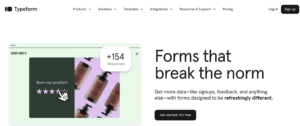
Typeform offers a variety of customization options, allowing users to tailor the look and feel of their forms to match their brand, including images, videos, and custom layouts. It also integrates with various third-party services, such as CRM tools, email marketing platforms, and payment processors, to streamline workflows and data management.
Jotform is an online form builder that allows users to create custom forms for various purposes, such as surveys, registrations, contact forms, order forms, and more, without needing any coding skills. It offers a user-friendly interface where you can drag and drop form elements to build your forms.
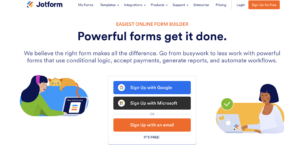
Jotform supports a wide range of integrations with other platforms and services, including payment processors, CRM systems, cloud storage services, and email marketing tools, making it versatile for businesses and individuals alike. It also provides various templates to get started quickly, alongside features for customizing the design of your forms to match your branding.
Now that we have a clear understanding of what Jotform and Typeform are let’s dive into the detailed comparison of their features.
Typeform is renowned for its ability to create engaging, user-friendly forms, surveys, quizzes, and more, thanks to a suite of powerful features. Here are the key features that set Typeform apart:
#Conversational User Interface
Typeform’s standout feature is its conversational, one-question-at-a-time approach to form design, which helps keep users engaged and increases completion rates.
#Highly Customizable Designs
Users can customize their forms extensively, with options for adding images, videos, and custom themes, allowing for a seamless integration with brand aesthetics.
#Logic Jumps
This feature enables personalized form experiences by changing what question appears next based on how the previous question was answered, allowing for complex, tailored pathways through the form.
#Wide Range of Templates
Typeform offers a diverse collection of templates designed for various needs, from customer feedback to event registration, making it easier for users to get started.
#Integration Capabilities
It integrates smoothly with many third-party services, including Google Sheets, Mailchimp, and Slack, automating workflows and enhancing productivity.
#Reporting and Analytics
Typeform provides detailed analytics and reporting tools that help users understand how their forms perform, track completion rates, and analyze responses for better insights.
#Responsive Design
Forms created with Typeform are automatically optimized for desktop and mobile devices, ensuring a great user experience regardless of how respondents access the form.
#Payment Collection
It supports integration with payment gateways like Stripe and PayPal, enabling easy collection of payments directly through forms.
#File Uploads
Respondents can easily upload files through the form, especially useful for applications requiring document submissions.
#Security and Privacy
Typeform is committed to data security and privacy, implementing features like SSL encryption to protect the information collected through its forms.
Jotform stands as a robust and versatile online form builder, catering to a wide array of needs from simple contact forms to complex surveys and registration forms. Here are the key features that make Jotform a go-to solution for many users:
#Drag-and-Drop Form Builder
Jotform’s intuitive drag-and-drop interface makes it easy for anyone to create forms quickly without any coding knowledge.
#Wide Range of Templates
Typeform offers a vast library of customizable templates for various uses, enabling users to get started with their forms quickly.
#Advanced Form Fields
It Supports various form fields, including text inputs, dropdowns, checkboxes, file uploads, and even signature fields, to collect different types of information.
#Conditional Logic
This feature allows for the creation of dynamic forms that change based on user responses, making forms more interactive and tailored to individual users.
#Integrations
Typeform integrations feature a plethora of integrations with popular services and platforms, such as PayPal, Stripe, Google Drive, Dropbox, and Zapier, facilitating seamless workflows.
#Payment Processing
Payment processing enables the collection of payments directly through forms, supporting various payment gateways for donations, subscriptions, and sales.
#Mobile Forms
All forms are optimized for mobile use to ensure a seamless experience for users on mobile devices.
#Security Measures
This platform provides robust security measures like SSL encryption to safeguard any sensitive information gathered through forms.
#Analytics and Reporting
It provides tools to analyze form submissions, monitor performance, and gain insights into user behavior and preferences.
#Collaboration and Sharing
It facilitates team collaboration with options to share forms and manage responses together and also allows easy sharing of forms via email, social media, or embedding in websites.
Strengths:
Limitations:
Strengths:
Limitations:
When comparing Typeform and Jotform, the scope and depth of their integration capabilities are crucial for many users, determining how well these form builders can fit into existing workflows and ecosystems. Here’s an overview of the integration capabilities for both platforms:
Overview
Typeform focuses on providing smooth integrations with various software, enhancing its utility for creating engaging, conversational forms. Its integration portfolio includes:
Jotform prides itself on an extensive range of integrations designed to cater to various needs, from payment processing to project management. Its integration offerings include:
| Plan | Features |
|---|---|
| Free | 5 forms, 100 responses/month |
| Bronze | $34/month – 25 forms, 1,000 responses/month |
| Silver | $39/month – 50 forms, 2,500 responses/month |
| Gold | $99/month – 100 forms, 10,000 responses/month |
| Enterprise | Custom Pricing – Custom solutions |
| Plan | Features |
|---|---|
| Free | Unlimited forms, 10 responses/month |
| Basic | $25/month – Unlimited forms, 100 responses/month |
| Plus | $50/month – Unlimited forms, 1,000 responses/month |
| Business | $83/month – Unlimited forms, 10,000 responses/month |
| Enterprise | Custom Pricing – Custom solutions |
| Criteria | Typeform | Jotform | Preferable For |
|---|---|---|---|
| User Experience | Conversational interface | Traditional form approach | Typeform for engagement |
| Design & Customization | Design-forward, highly customizable | Customizable with more control | Typeform for design; Jotform for control |
| Versatility & Functionality | Engaging forms | Wide range of uses | Jotform for versatility |
| Integrations | Essential services | Extensive library | Jotform for integrations |
| Pricing | Higher cost | More budget-friendly | Jotform for budget-conscious |
| Overall | Design and engagement focus | Functionality and versatility | Depends on project needs |
In essence, there is no one-size-fits-all answer. The best platform for you depends on your specific needs, the type of forms you’re creating, and the level of customization and integration you require. Both Typeform and Jotform are outstanding in their own right, and your choice should align with the goals and priorities of your projects or business.
Consider starting with the free versions of both platforms to get a hands-on feel for their features and functionalities. This direct experience can help you make a more informed decision that aligns with your unique needs and preferences.
Wait, not convinced, yet?
If, despite everything mentioned earlier, you’re still on the hunt for a superior online form builder, you’re in luck. I’ll explain why SurveySparrow is the ideal choice for you.

AI-Powered No-Code Survey Maker: SurveySparrow utilizes AI to create engaging surveys and forms without coding skills, helping you make better decisions.
User-Friendly Interface: With a simple and intuitive user interface, SurveySparrow ensures a seamless experience for survey creators and respondents.
Conversational User Experience: SurveySparrow’s chat-like interface makes surveys engaging and easy to navigate, ensuring higher completion rates.
Report Savvy Dashboard: Access a comprehensive dashboard for insightful reports and analytics, empowering you with the data needed to make informed decisions.
Streamlined Single Page Forms: Simplify surveys with single-page forms for better user engagement and higher completion rates.
Higher Response Rates: Our mobile-friendly design and conversational approach lead to increased participant engagement and better response rates.
Diverse Template Library: Choose from 1000+ templates for surveys, feedback forms, and more, saving you time and ensuring professional design.
Seamless Integrations: SurveySparrow integrates effortlessly with a wide range of third-party applications, enabling you to connect your surveys with your existing workflow.
Cost-Effective: Enjoy premium survey features at a competitive price, making SurveySparrow a cost-effective choice without compromising functionality.
Dedicated Support: Our customer support team is committed to your success and is ready to assist you every step of the way.
Hassle-Free 14-Day Free Trial: Try SurveySparrow risk-free with a 14-day trial that requires no credit card details. Experience its features and benefits firsthand.

A personalized walkthrough by our experts. No strings attached!
You can do wonders for your business with the right online survey tool in your arsenal. As we have been saying throughout the article, its effectiveness and results depend on how these tools are utilized.
In the Typeform vs. Jotform comparison, consider SurveySparrow as an option that caters to your specific needs. Explore each platform to determine the best fit for your survey and form-building requirements.


Thousands of brands trust SurveySparrow to turn feedback into growth. Try it free today!


Best Of
10 MINUTES
14 March 2018

Best Of
12 MINUTES
22 October 2018

Best Of
13 MINUTES
24 December 2021

Best Of
16 MINUTES
12 October 2020
14-day free trial • Cancel Anytime • No Credit Card Required • No Strings Attached

