Alternative
11 Best Google Forms Alternatives & Competitors of 2024

Article written by Kate Williams
Product Marketing Manager at SurveySparrow

31 min read
18 July 2024


Alternative
Article written by Kate Williams
Product Marketing Manager at SurveySparrow
31 min read
18 July 2024
Hunting for Google Forms Alternatives? Sit back and relax because your search ends here.
We all know how easy Google Forms is (not to mention free). However, the tool – when compared to competitors – severely lacks in features as well as other capabilities. The following is some of the customer reviews we have collated to give you an idea of the same.

So, if not Google Forms, then what else?
We have done a thorough research and found the 11 best alternatives to Google Forms you can try out.
Google Forms is free, easy to use, and many other things, but it lacks the powerful features that other modern survey software offers. With powerful alternatives to Google Forms, the possibilities are limitless – create engaging surveys, use vibrant templates, conduct polls & quizzes, and much more!
Follow the link if you want to learn why customers are looking for Google Forms alternatives.
Here’s a quick idea of the tools and software that will be discussed here.
| Alternatives | Pricing [Start at*] | Free Version | AI Survey | Conversational Survey | In-built Templates |
|---|---|---|---|---|---|
| SurveySparrow | $19 per month | ✅ | ✅ | ✅ | 1000+ |
| Microsoft Forms | $7 per user per month | ✅ | ❌ | ❌ | 35+ |
| Cognito Forms | $15 per month | ❌ | ❌ | ❌ | 150+ |
| Wufoo | $14 per month | ✅ | ❌ | ❌ | 400+ |
| SoGoSurvey | $25 per month | ✅ | ✅ | ❌ | 20+ |
| Typeform | $25 per month | ✅ | ✅ | ❌ | 800+ |
| JotForm | $39 per month | ✅ | ❌ | ✅ | 10,000+ |
| Paperform | $24 per month | ❌ | ❌ | ❌ | 650+ |
| Feathery | $49 per month | ✅ | ❌ | ❌ | 50+ |
| Formstack | $50 per month | ❌ | ❌ | ❌ | 350+ |
| Zoho Forms | $7 per month | ✅ | ❌ | ❌ | 50+ |
There were a lot of survey tools to choose from, but we have carefully analyzed and shortlisted only those that can helm the title – The Best Google Forms alternative. Continue on to read about them. We discuss their key features, pricing, customer reviews, and more.
Best for: Conversational forms, customer experience surveys, text, and sentiment analysis.
Suitable for: Businesses of all sizes.
Integration: HubSpot, Slack, Monday.com, Asana, Rybbon, Stripe, and Salesforce.
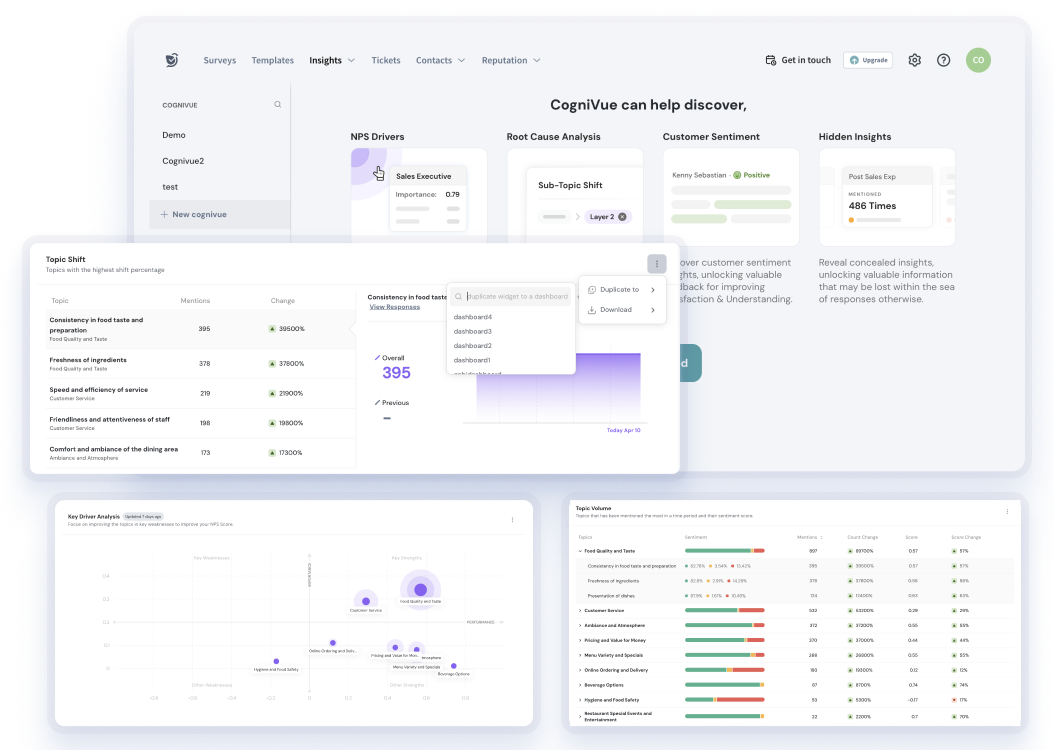
By offering conversational surveys and omnichannel management to AI surveys, SurveySparrow is one of the best online survey tools available in the market. The fact that the tool offers such advanced features and that too a cost-effective way makes it one of the best Google Form alternatives.

Its smart surveys and report-savvy dashboard enable a greater response rate and proper analysis of the collected feedback. When it comes to carrying out efficient surveys for your customers, employees, or potential leads, SurveySparrow does a better job than Google Forms.
G2 Rating: 4.4 (1900+ reviews)
“SurveySparrow was easy to use, inexpensive, and allowed logic to be used at the lowest level. I appreciated the number of people who were also able to respond to the entry-level pricing. The product has a very humanlike vibe, making it much more enjoyable than standard survey solutions (like Google or Microsoft forms) as per UX.” – SurveySparrow G2 Profile.
🔑 Free Version: Available.
💵 Starting paid plan: $19 per month.
Sign up below to try it out.

A personalized walkthrough by our experts. No strings attached!
Best for: Easy survey creation and data analysis.
Suitable for: Businesses already using Microsoft Suite.
Integrations: All apps in the Microsoft Suite.

Yes, Microsoft also has a form-building tool that is completely free! It’s almost similar to Google Forms in most aspects.
Since Excel is a powerful spreadsheet tool with advanced data analysis and visualization capabilities, users who are already familiar with Excel might find it easier to perform an in-depth analysis of the collected data. Google Sheets is not as feature-rich as Excel. And there is one aspect where Microsoft Forms is better than Google Forms – Data analysis.
G2 Rating: 4.4 (350+ reviews)
“It’s simply a good and easy-to-understand platform to get. It also provides information in many ways, like multiple options, radio buttons, text boxes & many more. I don’t like the user interface. I have the impression that the design is just random.” – MS Forms G2 Profile.
🔑 Free Version: Available.
💵 Starting paid plan: $7 per user per month.
Microsoft Forms is a part of Microsoft 365, and you will have to purchase the basic version of Microsoft 365 to use the forms. The pricing starts at $7 per user per month without including VAT.
Though the pricing looks so meager, you have to understand that only one person can access the entire Microsoft suite with the plan. Since Word and Excel are essential to almost everything and for everyone, the pricing will increase accordingly.
If you are interested, here are some alternatives you can try instead of Microsoft Forms.
Best for: Easy form creation and sharing.
Suitable for: SMBs.
Integrations: Zapier, Google Analytics, JSON Webhooks.
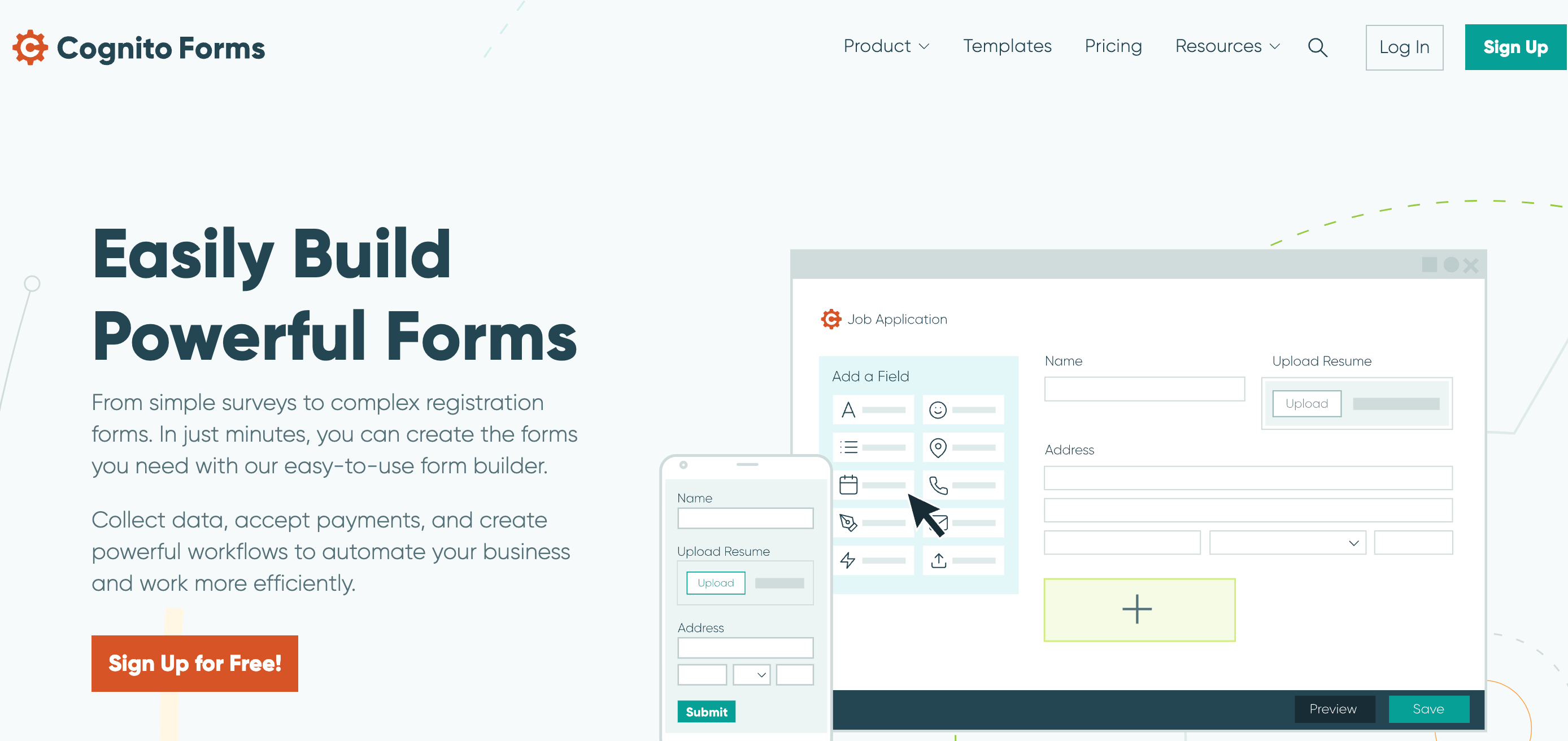
Cognito Forms is a low-code form builder that supports advanced form functionalities. It offers conditional logic, calculations, file uploads, and integration options. This, coupled with its cost-effectiveness, makes it a worthwhile alternative to Google Forms.
G2 Rating: 4.5 (70+ reviews)
“Easy to create a responsive form using conditional logic, answer piping, and automation with Stripe/Zapier. Easy to share templates between accounts. It’s pricier than Google Forms, but the functionality of the software is worth it.” – Cognito Forms G2 Profile.
🔑 Free Version: Available.
💵 Starting paid plan: $15 per user per month.
They offer a free plan with 500 entries per month. The paid plans are comparatively cheaper, with pricing starting at a meager $15 per month.
Best for: One-question-per-page type surveys, drag-and-drop form builder.
Suitable for: Startups and SMBs.
Integrations: Salesforce, Dropbox, MailChimp.
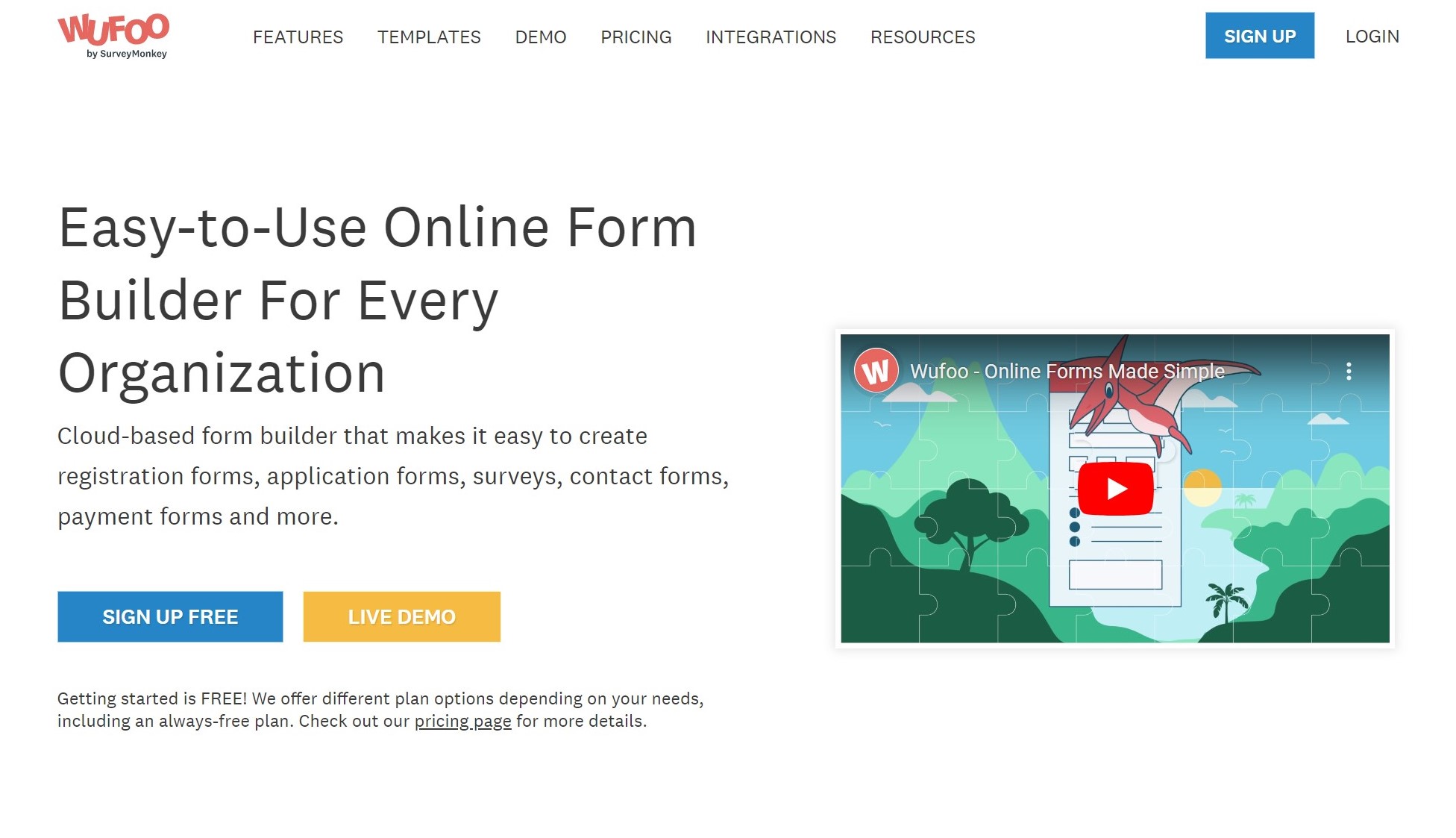
Wufoo is a form builder, particularly for users with specific needs. It specializes in form building, offering a user-friendly interface that allows for the easy creation of not just surveys. However, it also has various types of forms like registrations, applications, and payments.
G2 Rating: 4.2 (250+ reviews)
“It’s easy, and you don’t need to have advanced coding skills to understand even the advanced forms. I’m not the biggest fan of the design. It’s slightly outdated and not user-friendly, especially for users who prefer a more modern look.” – Wufoo G2 Profile.
🔑 Free Version: Available.
💵 Starting paid plan: $14.08 per user per month.
A free version of the tool is available for you to check out. It offers a variety of pricing plans, with its “Starter” plan available at $14.08 per month.
NOTE: With affordable pricing compared to most of the Google Forms alternatives, Wufoo makes for a good survey tool. But when it comes to organizing all the surveys you have made into folders, Wufoo falls short. It also doesn’t let you segment the audience, automate surveys, and share survey emails.
For alternatives that overcome these challenges, check out our blog on Wufoo Alternatives.
Best for: Customer feedback analysis.
Suitable for: Startups and small businesses.
Integrations: Outlook, Trello, HubSpot.

SoGoSurvey is part of the Sogolytics platform. It helps users manage and improve customer and employee experience. The tool is relatively easy to use and boasts of having the best support team in the industry.
It has a user-friendly interface and diverse survey question types, making it one of the most versatile data collection tools.
G2 Rating: 4.5 (70+ reviews)
“I was using Google Forms for my pilot and am appreciating all of the design features available in SoGoSurvey. The only thing I was missing with the free version was the matrix-type questions.” – Sogolytics G2 Profile.
🔑 Free Version: Available.
💵 Starting paid plan: $25 per user per month.
Their basic plan is completely free, allowing users to create and distribute forms with basic features. They claim that their free plan is better than Google Forms. So, in a way, it can be considered among the available free Google Forms alternatives.
Their lowest-paid plan costs you around $25 per user per month.
A personalized walkthrough by our experts. No strings attached!
Best for: Interactive forms and surveys.
Suitable for: Large businesses.
Integrations: Intercom, Slack, MailChimp, Notion.
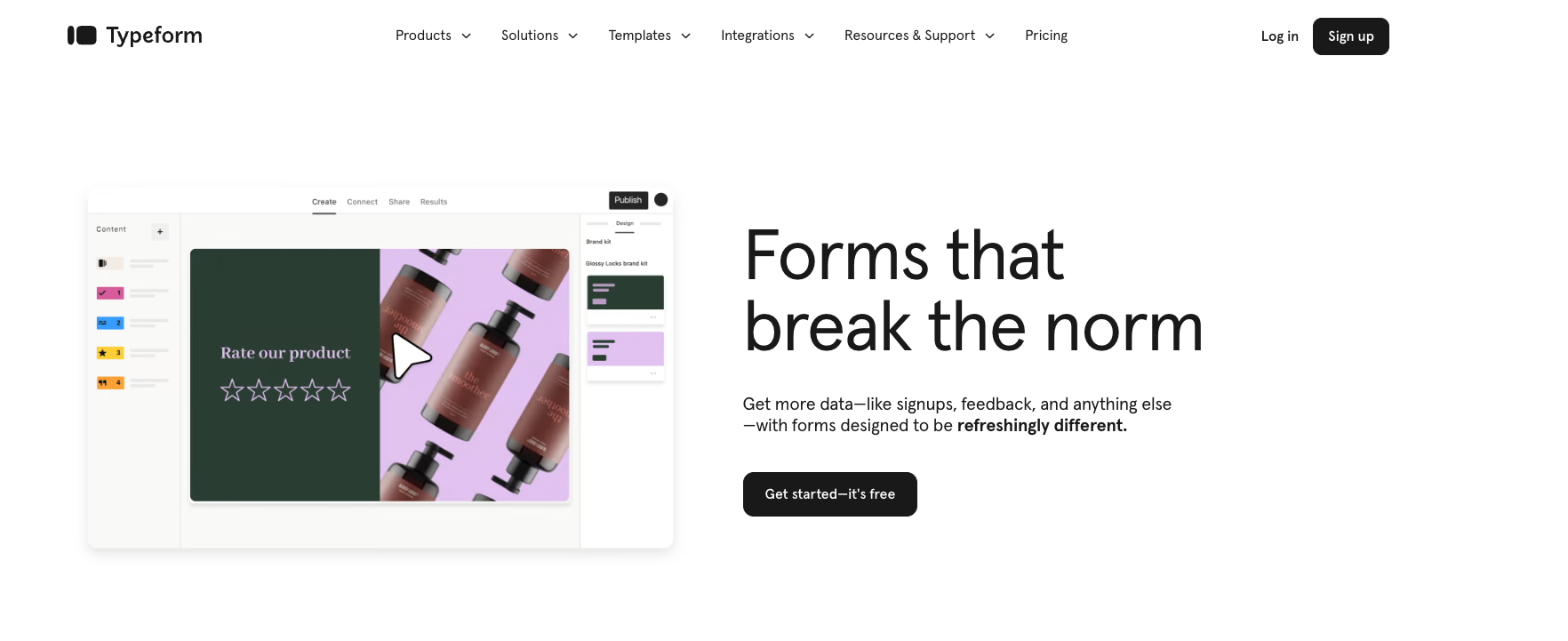
Typeform believes surveys should include three things- easy, appealing, and human. Unlike other alternatives to Google Forms, the interface of this software is attractive, and it has some valuable features to take engaging surveys.
G2 Rating: 4.5 (700+ reviews)
“Typeform gives a very impressive and responsive interface, is easy to use, and gets things done fast and efficiently. It currently lacks the option to present all questions in a single view (something similar to Google Forms, in a vertical way using scroll up and down).” – Typeform G2 Profile.
🔑 Free Version: Available.
💵 Starting paid plan: $25 per month.
The Free plan allows users to create interactive forms with basic features at no cost. With the Free plan, you can receive up to 100 responses per month. There is no restriction on the total number of typeforms you can create. The paid plans start from $25/month.
Here’s a more detailed comparison – Typeform vs GoogleForms
Best for: Versatile survey and form templates.
Suitable for: Small businesses to enterprises.
Integrations: PayPal, Salesforce, MailChimp, Asana.
If you are looking for Google Forms alternatives that are fairly easy to use and offer decent-looking forms, then try JotForm. The tool is great for non-technical users with a small learning curve.
It doesn’t meet the support expectations, which is what most users found. This can get frustrating when you consider that most users have encountered at least minor bugs in it. JotForm tends to have too many glitches for a survey tool. If you are looking for an alternative to JotForm due to these glitches, feel free to check out our blog post on Jotform Alternatives.
G2 Rating: 4.7 (3000+ reviews)
“It’s easy to navigate the interface, the diversity of customization options, and how easy it is to integrate with other apps. The big limitation I’ve encountered with Jotform is the lack of built-in data analysis tools.” – Jotform G2 Profile.
🔑 Free Version: Available.
💵 Starting paid plan: $39 per month.
The plans offered by the tool are Starter, Basic, Silver, and Gold. Starter is the free plan, and Basic is the starting paid plan. It also offers a custom plan for enterprises.
Best for: Visually appealing forms.
Suitable for: Small businesses.
Integrations: ConvertKit, Dropbox, HubSpot, Intercom.

Paperform is a versatile form builder with a focus on creating visually appealing and interactive forms. The tool allows users to create forms, take payments, schedule appointments, and even create e-commerce stores and booking systems. The forms are easy to make and require zero coding knowledge.
G2 Rating: 4.5 (40+ reviews)
“Paperform ease of use relies on being able to create complex yet straightforward forms. Comparatively, I’ve seen better response rates because people are used to the Google Forms formula, and Paperform does that but even better.” – Paperform G2 Profile.
🔑 Free Version: Available.
💵 Starting paid plan: $24 per month.
The plans are threefold – Essential, Pro, and Business. The Essential plan is the starting one, and for Enterprises, there is a custom option (separately).
Best for: Onboarding and payment forms.
Suitable for: SaaS businesses.
Integrations: Zapier, HubSpot, Calendly, Stripe.

Feathery is a low-code platform that enables product teams to build customizable, developer-friendly forms like signup, onboarding, and applications. Here are five key features of Feathery that you need to check out.
G2 Rating: 4.7 (10+ reviews)
“Feathery’s easy customizability is amazing – easy drag and drop interface to build my intake form. The learning curve for the editor, although, can be steep for non-technical users.” – Feathery G2 Profile.
🔑 Free Version: Available.
💵 Starting paid plan: $49 per month.
The Free plan offers two live forms and 100 monthly unique submissions. The start plan is priced at $49 per month, and the Business plan is a custom one.
Best for: Employee experience forms.
Suitable for: Businesses of all sizes.
Integrations: Stripe, Airtable, Amazon Web Services, HubSpot.

Formstack is one of the best free alternatives to Google Forms, as apart from all the similar features, it’s their interactive dashboard that truly stands out. You get a dynamic dashboard and team collaboration option, which makes your survey creation journey smoother, and all this is completely free!
G2 Rating: 4.4 (350+ reviews)
“It provides flexibility of creating custom online forms and works end to end seamlessly. Best part of no coding is required. The pricing is on higher side and trial period is also less to explore more features.” – Formstack Forms G2 Profile.
🔑 Free Version: Available.
💵 Starting paid plan: $50 per month.
Apart from a 14-day free trial, their form builder comes with a paid plan of $50 per month (billed annually). Advanced features are only available on their top-tier paid plan.
Best for: Quick form building and analysis.
Suitable for: Businesses that already use Zoho Suite.
Integrations: All tools in the Zoho Suite.

If you want to have variety in your surveys and don’t want to spend money on it, Zoho Survey would do the job for you. You get 25 different question varieties to choose from here, and you can send unlimited surveys in the free plan itself. We think you should definitely check this out.
G2 Rating: 4.4 (150+ reviews)
“Zoho Form Builder is very easy to set up and implement. The product comes with a feature to generate reports on a periodic basis, which helps us in getting customers through a single mail. It lack of customization options. Also, it didn’t have the best theme to create forms due to the UI/UX of forms didn’t look great.” – Zoho Forms G2 Profile.
🔑 Free Version: Available.
💵 Starting paid plan: $7 per month.
The BASIC plan, priced at $7 per month billed annually, includes 1 user, unlimited forms, 10,000 submissions per month, payment integration, and 500 MB storage. For more features, you can go for standard, professional, or premium plans.
If truth be told, while Google Forms is simple enough, it’s a very basic survey tool. The customization capabilities are very limited, the survey designs are mostly plain, and it lacks the advanced features its competitors have.
Let’s discuss some of them.

Google Forms does not offer templates specifically designed for questionnaires and surveys. This means you’ll have to start from scratch every time, which can be time-consuming and less efficient.
Also, the absence of branching and logic-skipping features makes it less efficient. This absence can limit the ability to create dynamic, responsive surveys that adapt based on previous answers.
Users have noted that backing up Google Forms data into Google Drive is a cumbersome process. This inconvenience is magnified when using Google Forms on mobile devices. The lack of automatic backup and storage options can be a significant drawback for those looking for a seamless experience.
It offers limited integrations and lacks automatic backup as well. As a result, Google Forms is less ideal for complex workflows or team projects without offline support.
The mobile experience with Google Forms is often criticized for being less user-friendly and efficient than the desktop version. This can be a major limitation for users who rely on mobile devices for their work or personal tasks.
Customer service is the most crucial part of business, let alone online form builders. Issues and customer complaints are inevitable, but what makes tools like SurveySparrow superior to Google Forms is they provide excellent customer support services.
Now that you have understood the reasons why people look for Google Form alternatives, let’s discuss the top alternatives.
When it comes to conducting surveys, forms, polls, or quizzes that can make a difference, the software needs to be really powerful, smart, and easy to use at the same time.
Plus, adapting the surveys based on different business problems is a major requirement for any efficient online survey software. And this is where SurveySparrow hits the ground running. It’s not just an NPS® platform; rather, it’s a complete solution provider to all your survey needs.
So, If you’re thinking of going with SurveySparrow for your next survey, here’s how it’ll make your life easier and bring the right results:
| Feature | Description |
| Omnichannel Feedback | Enables surveys across multiple channels like Facebook, Twitter, embedded options, and QR codes for broad reach. For more on omnichannel feedback and support. |
| Seamless Survey Experience | Offers engaging and visually appealing survey templates to make survey-taking enjoyable, including specialized templates like hotel reservation survey. |
| Dual Interface | Provides two unique interfaces: chat-like surveys for a messaging experience and conversational forms for dynamic interactions. |
| Various Question Types | Includes a wide range of question types such as MCQs, open-ended questions, picture choice, ratings, opinion scales, matrix type, NPS®, and more. |
| Market-Research Tools | Features advanced tools and analytics for market research, supporting informed decision-making with hard work and vision. |
You know, you should just sign up for a 14-year free trial to get all these and many more features at your disposal. Explore as much as you want, and then if you decide to join forces with us, you’ll not be disappointed! A personalized walkthrough by our experts. No strings attached!
Create Beautifully Designed Forms With SurveySparrow
An ideal alternative should be as intuitive and cost-effective as Google Forms and must offer more features as well. If that’s the case, then SurveySparrow can be considered the best alternative to Google Forms. It’s easy to use, offers more advanced features, and is cost-effective.
A free version of Google Forms is available. However, for businesses, there is a small price, $12 per user per month.
Microsoft Forms does offer a few more features than Google Forms, but the cost-wise Google Forms are better. And the intuitiveness actually depends upon you. If you are more comfortable with Google Suite, then it might seem more intuitive, and vice versa.


Thousands of brands trust SurveySparrow to turn feedback into growth. Try it free today!

Alternative
10 MINUTES
20 June 2023
Alternative
26 MINUTES
20 September 2020
Alternative
10 MINUTES
7 June 2024

Alternative
10 MINUTES
20 June 2023

