Best Of
20 Best Microsoft Teams Apps and Integrations in 2024

Article written by Pragadeesh Natarajan
pragadeesh

13 min read
6 August 2024


Best Of
Article written by Pragadeesh Natarajan
pragadeesh
13 min read
6 August 2024
Yay! You found our list of the best Microsoft Teams apps!
Do you want to poll your teammates or add a task to your task management app without leaving Microsoft Teams? No problem, there are apps for that.
The Microsoft Teams app directory is the best place to find apps and integrations that connect with Microsoft Teams.
In this article, we’ve got 20 of the best Microsoft Teams apps and integrations to enable productive teamwork in Microsoft Teams.
Here’s the list of the top 20 most useful Microsoft Teams apps in 2023:
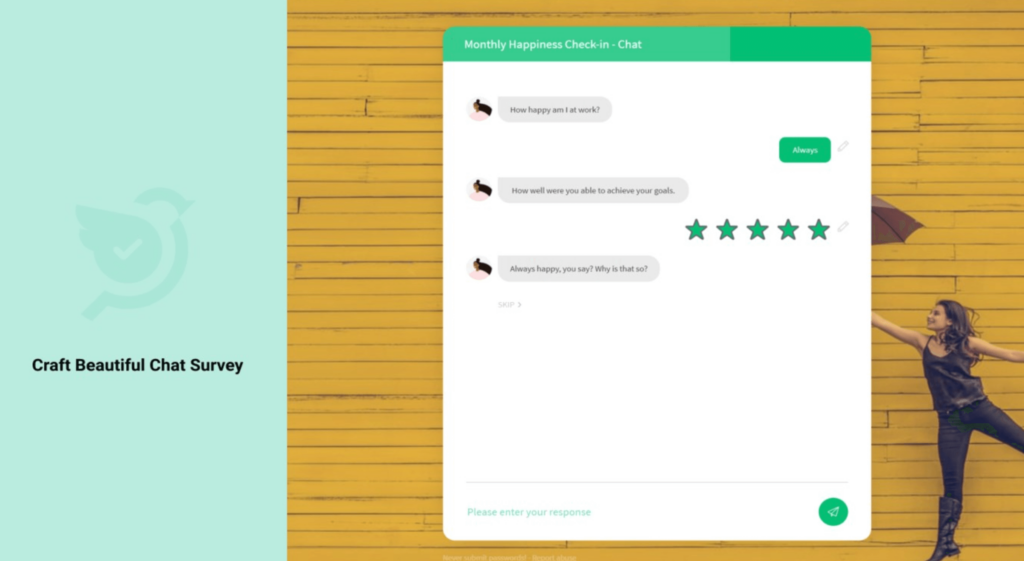
SurveySparrow is a conversational survey platform that helps individuals and businesses improve their survey and form completion rates with a unique, friendly conversational UI.
App highlights:
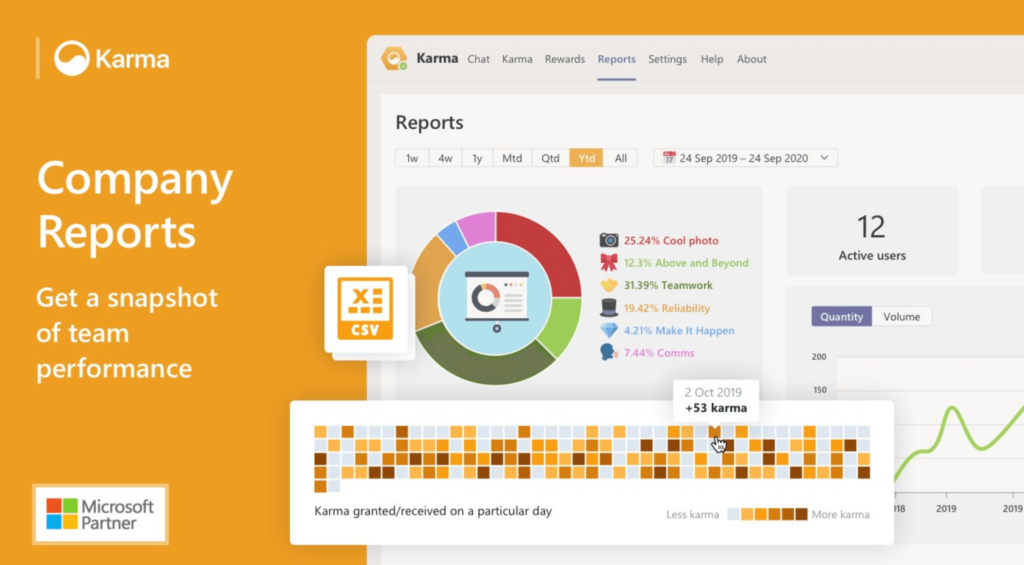
Karma allows you to give kudos to your teammates. Keeping employees motivated can be a challenge. With Karma, you can promote good behavior and encourage your employees to work more efficiently.
App highlights:
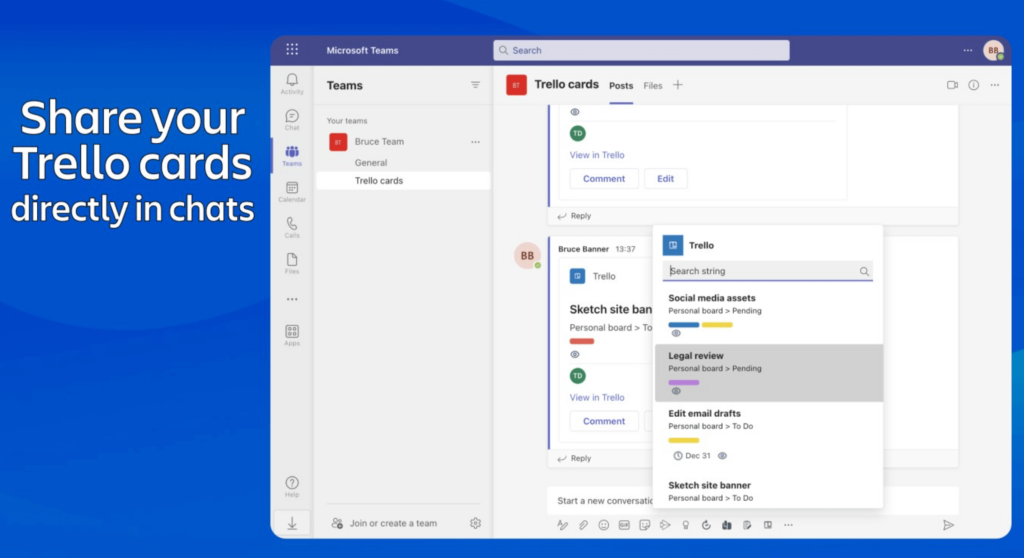
You might have already come across Trello given its popularity. It’s a simple project management tool that lets your team manage and organize your projects using boards, cards, and lists.
App highlights:
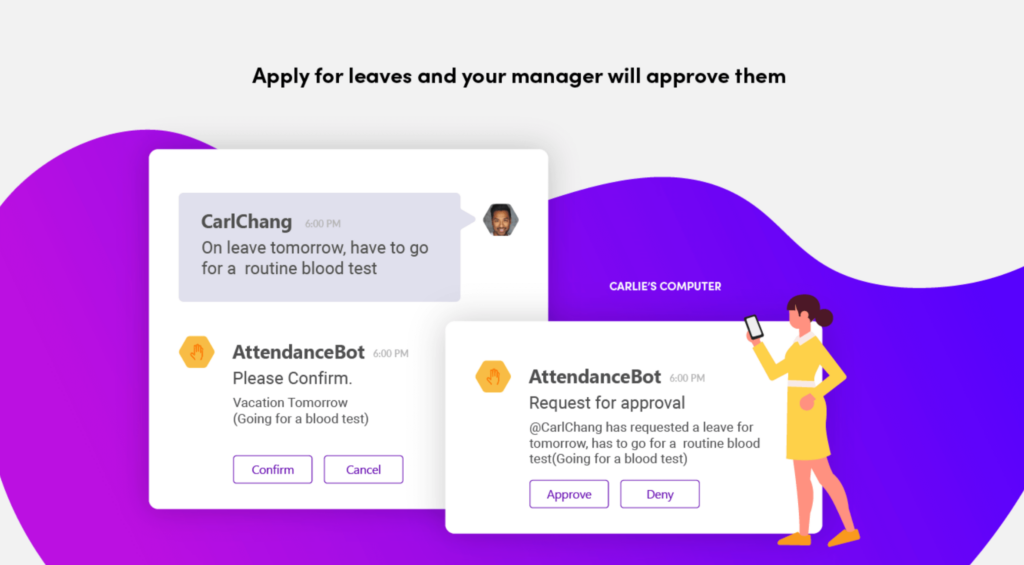
AttendanceBot is an app that lets employees analyze and track their work hours. You can use it to plan your shifts and track your sick days, vacation, and paid time off. Just one tool to manage your attendance and leaves within Microsoft Teams.
App highlights:
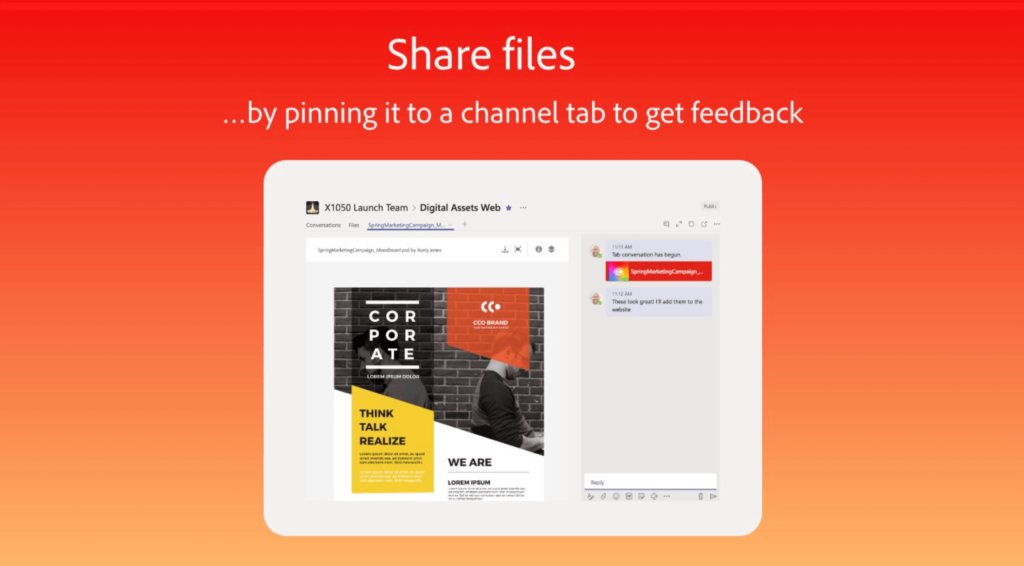
The Creative Cloud app from Adobe lets designers easily share their graphic designs and assets with their colleagues, collect feedback from them, and stay updated on all their tasks.
App highlights:
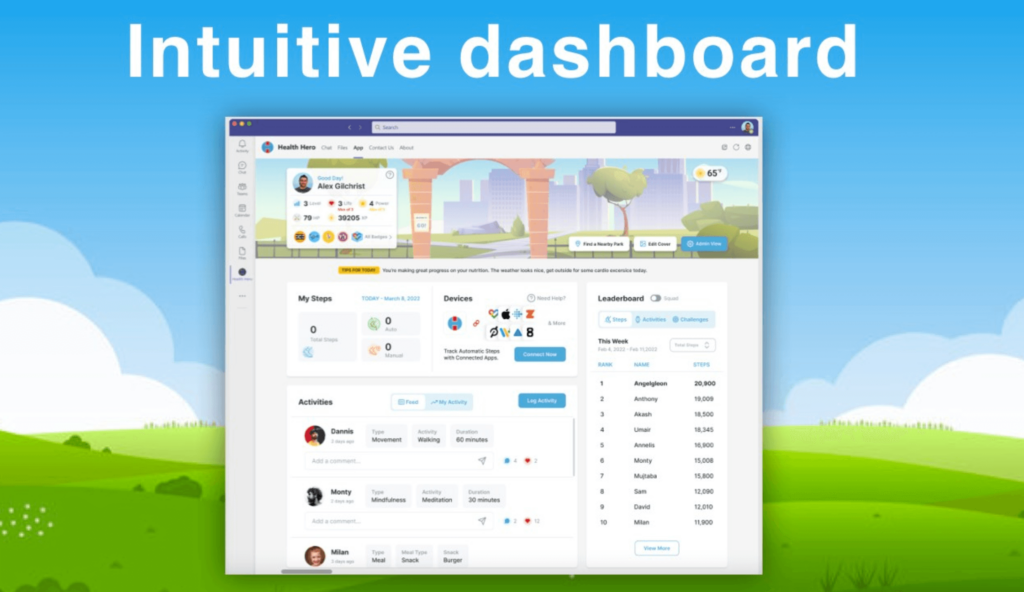
Health Hero is an app that helps your organization conduct fun activities to improve your employees’ mental health and well-being. It lets you easily connect your employees’ fitness tracking devices and receive activity points.
App highlights:
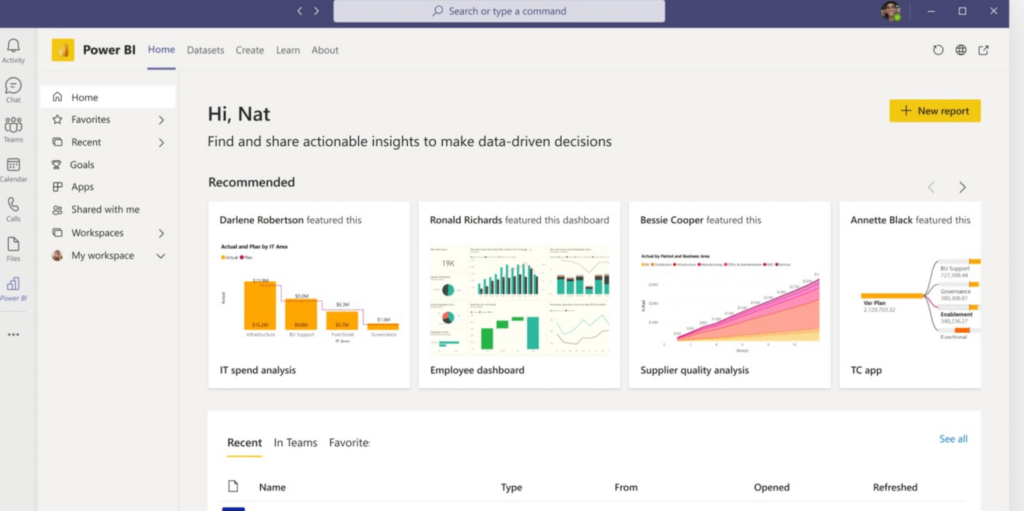
If you already use Power BI, a business intelligence and analytics app from Microsoft, then you can use this app to quickly access reports, data, and insights within Microsoft Teams. It lets you embed reports in channels and track your business metrics in real time.
App highlights:
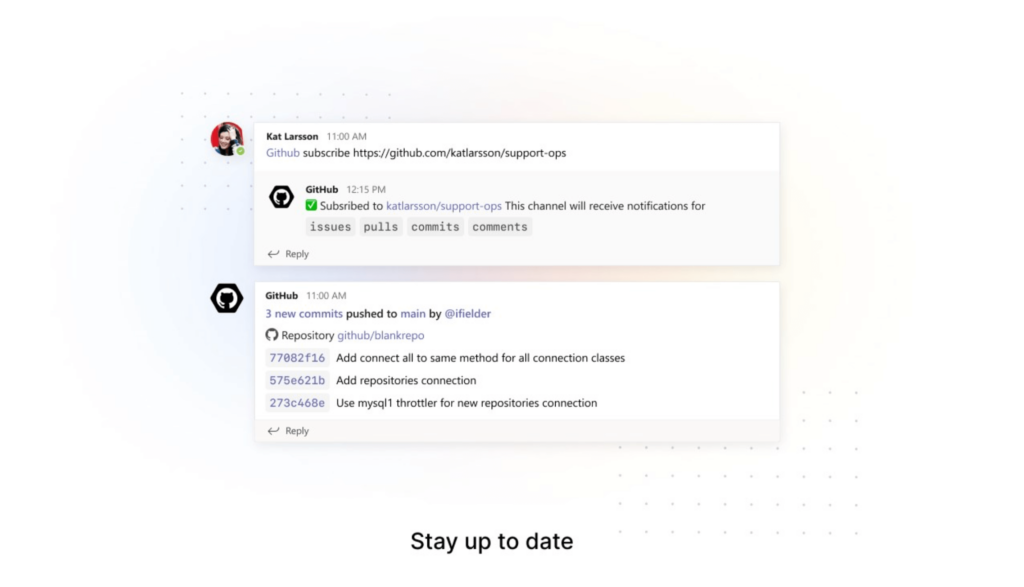
GitHub is a code hosting platform for version control and collaboration. With this app, software developers can track changes to their codebase within Microsoft Teams. And if you adopt a retail software developer that provides your customer with assistance and manages your product then you can retain your customers. And it not only notifies you about the code changes, but it also helps you share code snippets with your teammates directly in teams and discuss recent updates.
App highlights:
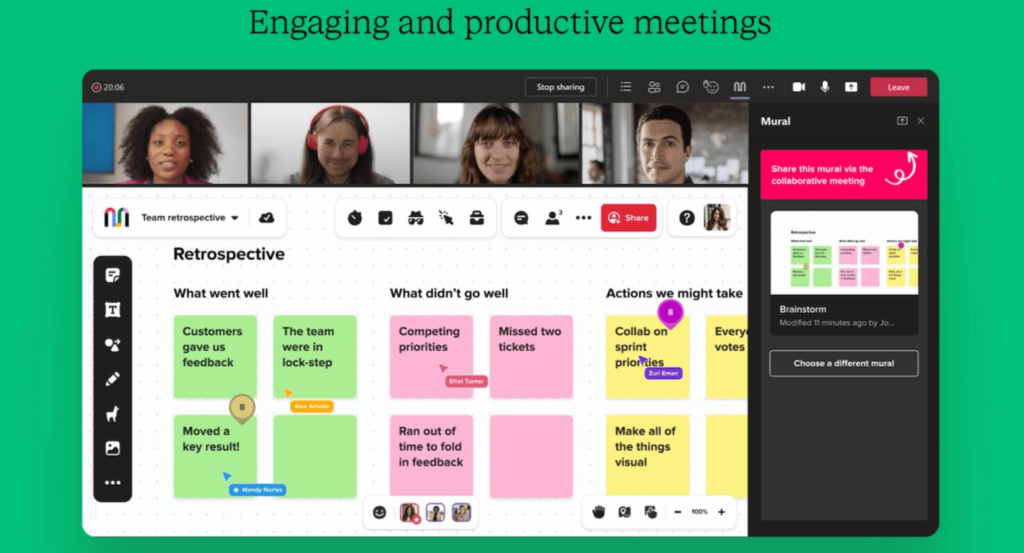
Mural lets you think and collaborate visually. It lets you create diagrams and goes beyond what ordinary online whiteboard tools offer. Your team can use this app to solve problems faster and think critically.
App highlights:
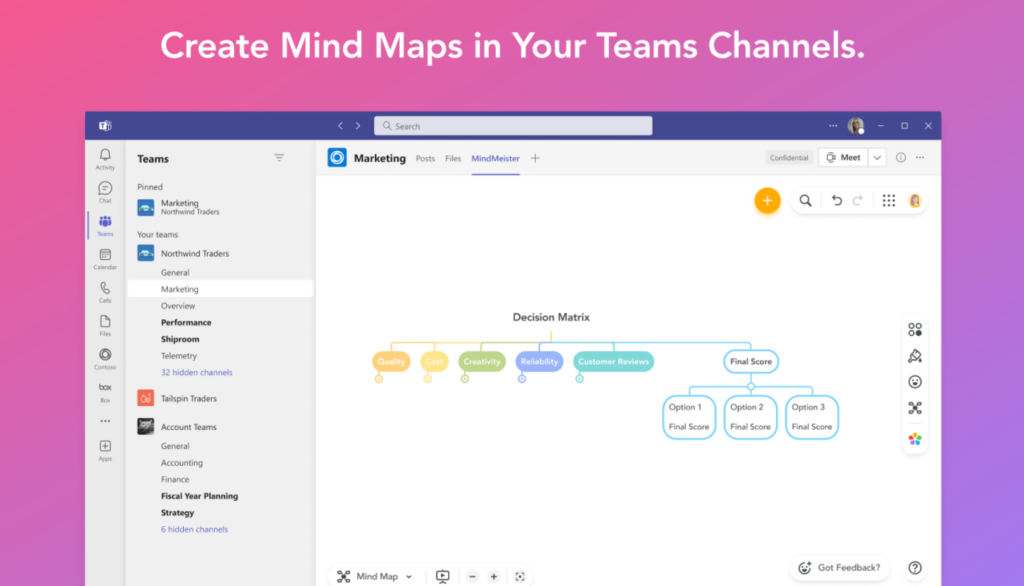
MindMeister is a mind-mapping tool that lets you create mind maps to brainstorm ideas with your colleagues in real time. You can use this app to visualize your plans and outline your strategies with your teammates.
App highlights:
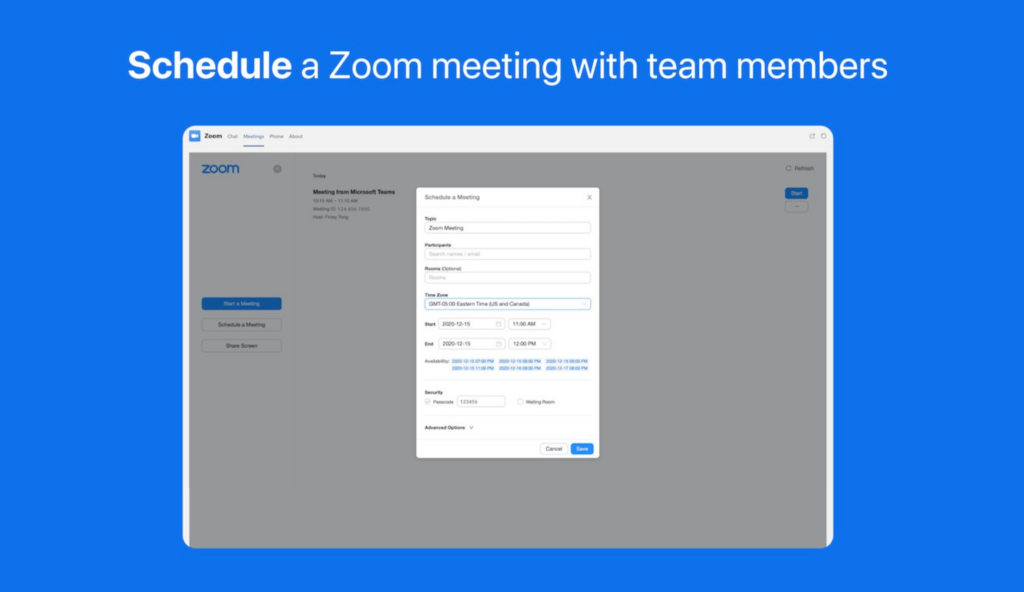
You can use the Zoom app to manage all your Zoom meetings right within Microsoft Teams. With this app, you can start, schedule, and join meetings, and share your screen from the Zoom meetings tab.
App highlights:
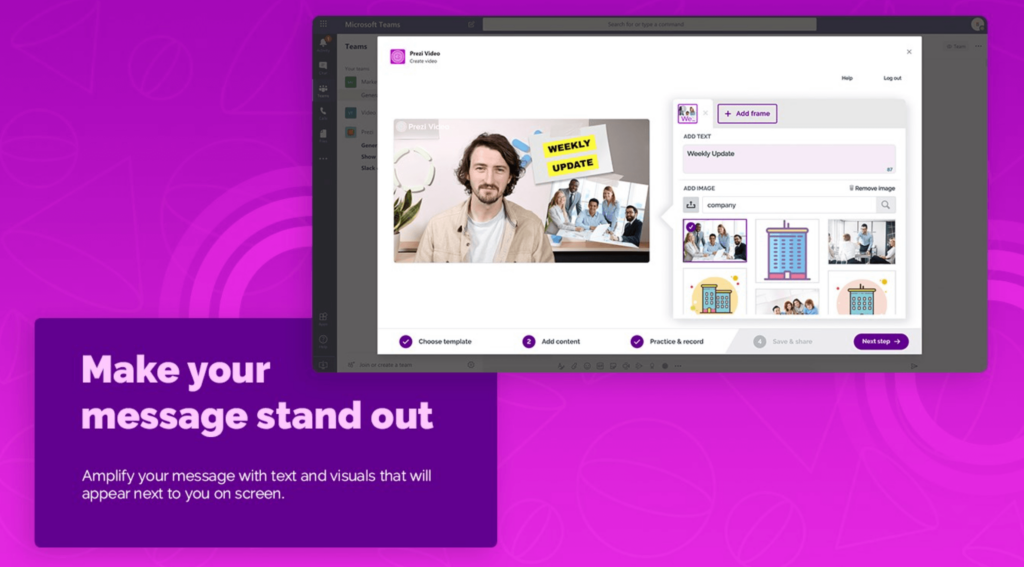
Prezi Video is a video communication app that lets you create and share videos in a snap. The app helps you make your messages more effective and clear by helping you add visual content to them.
App highlights:
Ally OKRs app allows you to manage your goals and OKRs (objectives and key results) in Microsoft Teams. It helps your team stay focused on their goals and objectives without having to leave Microsoft Teams.
App highlights:
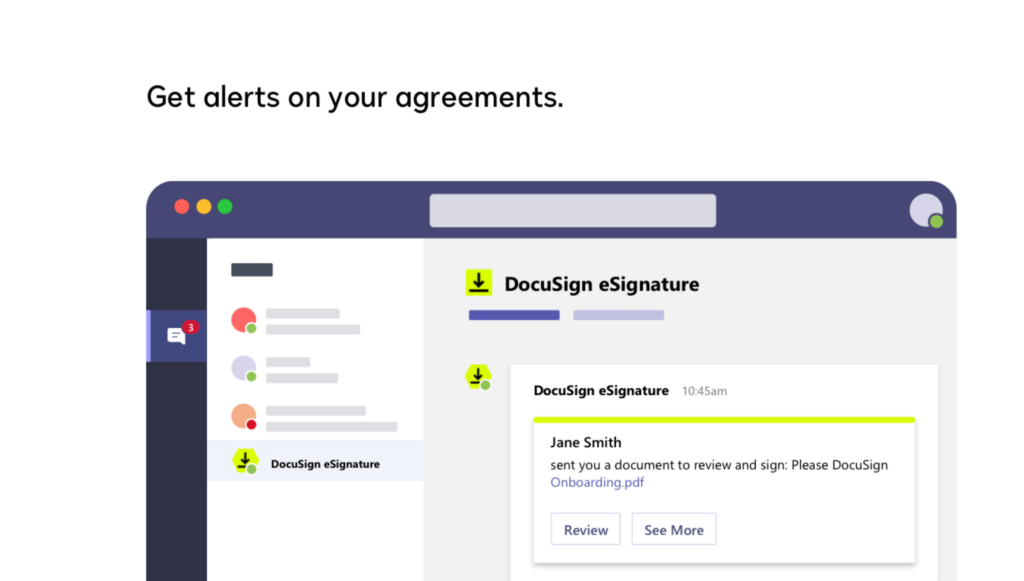
DocuSign is an e-Signature tool that helps you get your documents signed easily. With this app, you get real-time notifications in Microsoft Teams when people sign and complete documents.
App highlights:
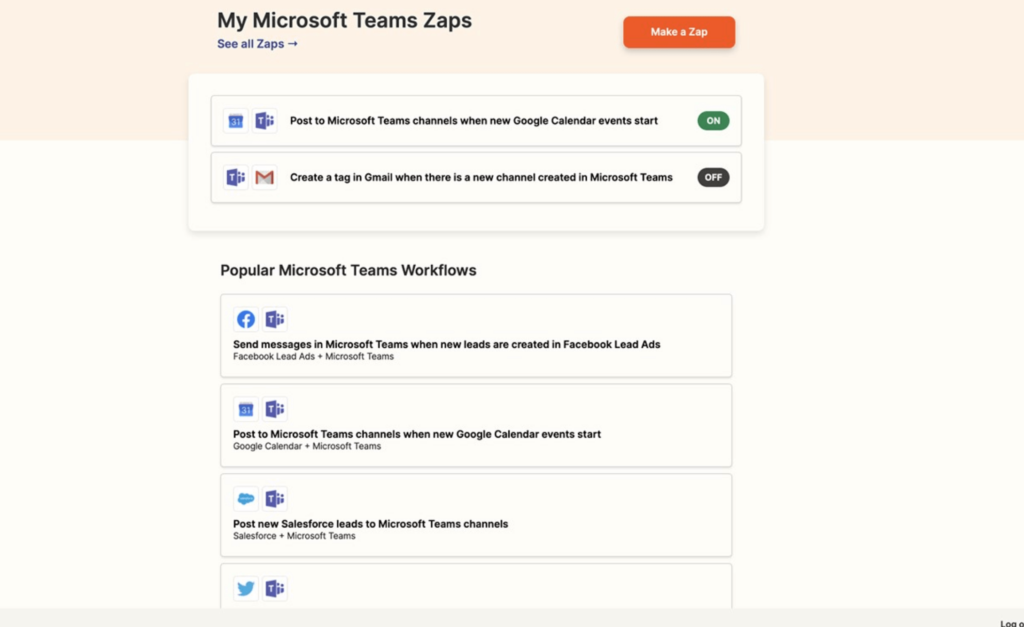
Zapier is an automation tool that lets you connect Microsoft Teams with your favorite apps. Using the app, anyone can quickly set up automated workflows (called Zaps) without having to write any code.
App highlights:
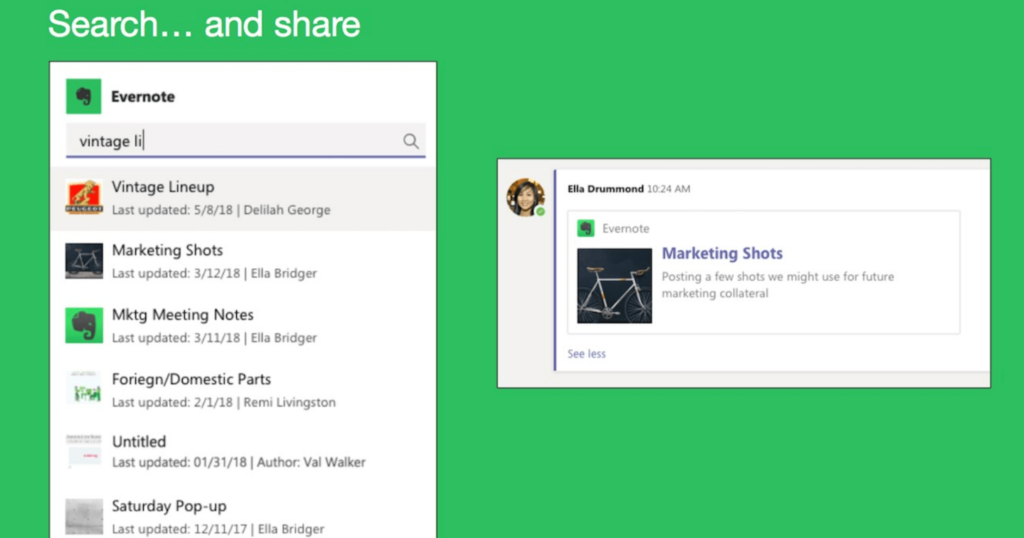
If you use Evernote to take notes, you can use this app to access all your Evernote content right from your chat thread so you can add more context to your messages in Microsoft Teams.
App highlights:
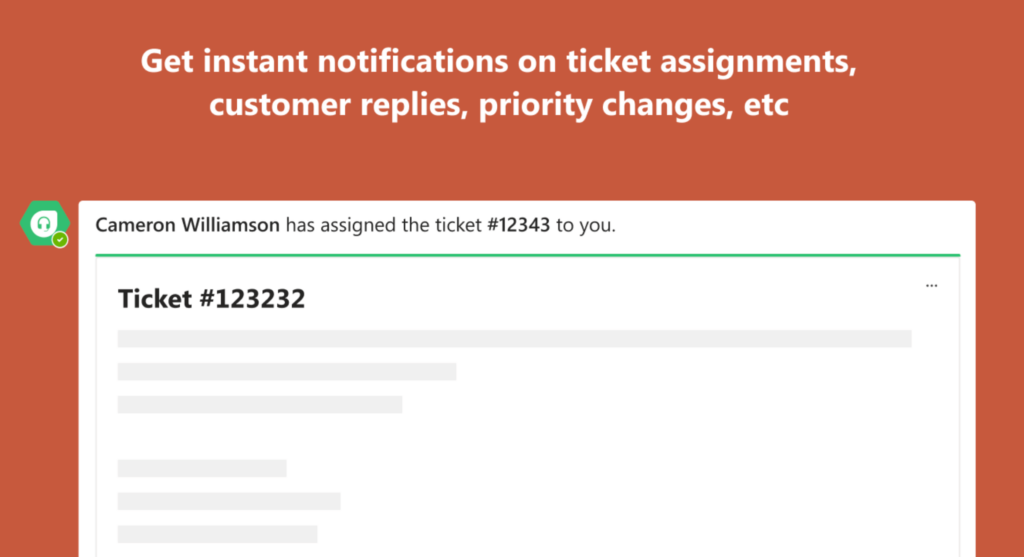
Freshdesk is a cloud-based customer service software for small businesses. With the Freshdesk bot, you get instant updates about your support tickets on Freshdesk without having to leave your Microsoft Teams workspace.
App highlights:
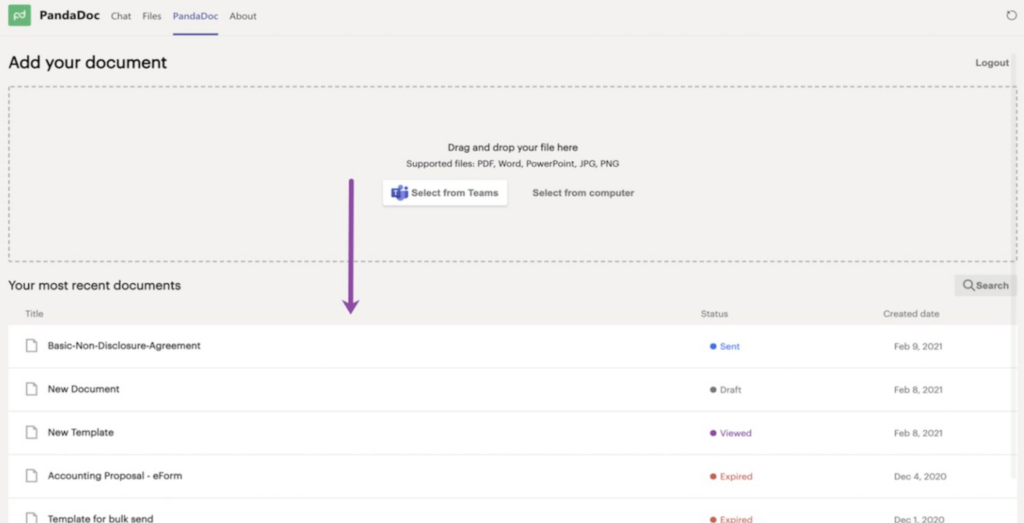
PandaDoc is a document management software that helps you create proposals, contracts, quotes, etc. It’s mostly used by sales and marketing teams. With this app, you can easily view, sign, and track your documents right within Microsoft Teams
App highlights:
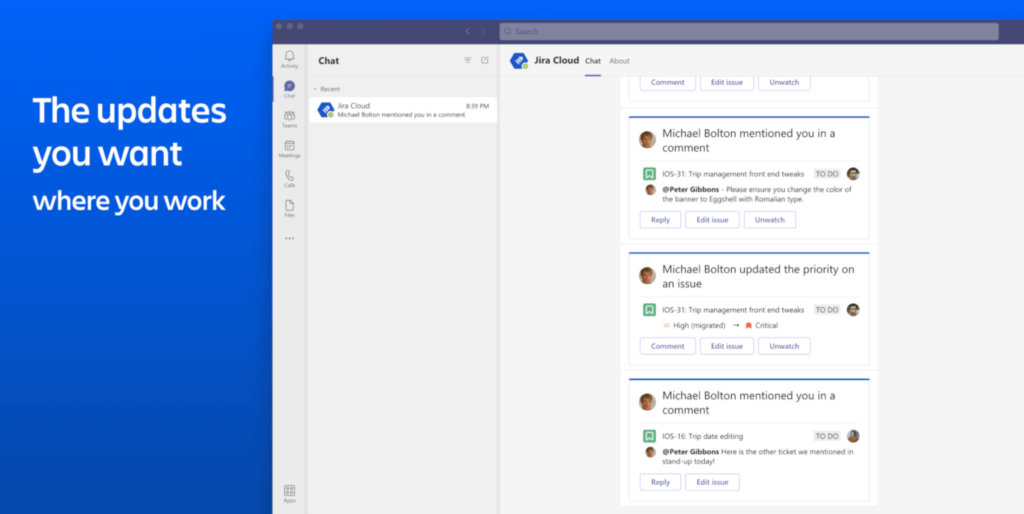
JIRA is an issue-tracking tool — that’s mostly used by software development teams — that allows bug tracking and agile project management. You can use the JIRA cloud app to bring Jira to the center of team communication.
App highlights:
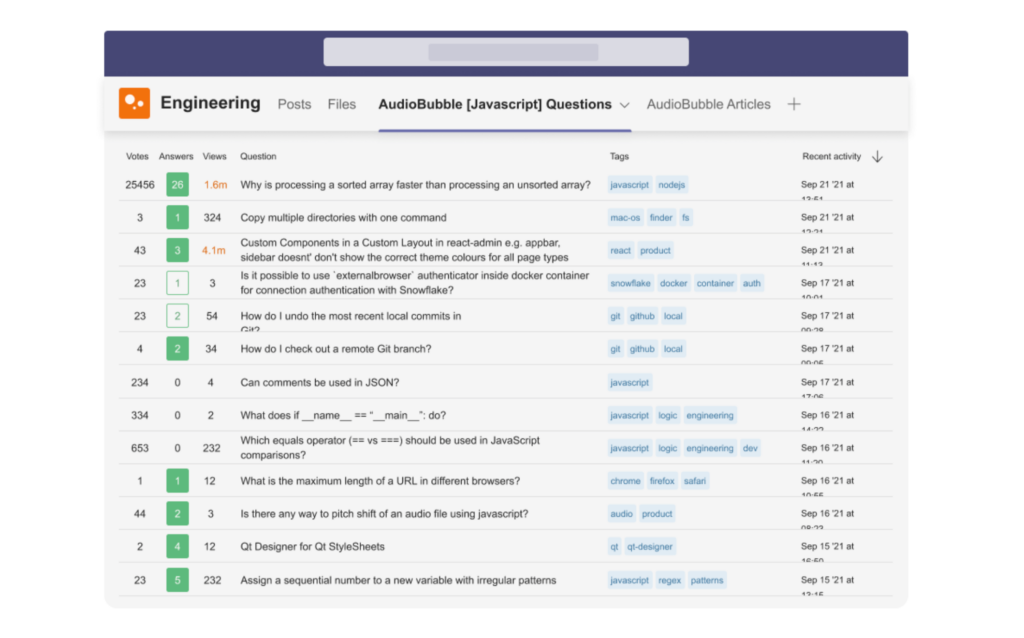
The Stack Overflow app helps developers find and share information on Stack Overflow right within Microsoft Teams. You can quickly find the answers to your questions and share them with your teammates right where you collaborate with them the most.
App highlights:
Our list is quite comprehensive but there’s plenty more to discover.
If you can’t seem to find your favorite app on this list, you can search the Microsoft Teams app directory, there’s a good chance you’ll find it there.
By the way, what’s your team’s favorite app that integrates with Microsoft Teams? Let us know in the comments section.
If you’re looking to create conversational surveys, forms, and polls that create a pleasant experience for your respondents, sign up below to try SurveySparrow for free.


Thousands of brands trust SurveySparrow to turn feedback into growth. Try it free today!


Best Of
17 MINUTES
13 December 2022
Best Of
12 MINUTES
30 June 2022

Best Of
18 MINUTES
24 May 2024

Best Of
14 MINUTES
14 February 2021
14-day free trial • Cancel Anytime • No Credit Card Required • No Strings Attached

