Compare
How to Make a Poll on Google Forms? A Complete Guide

Article written by Kate Williams
Content Marketer at SurveySparrow

9 min read
25 July 2024


Compare
Article written by Kate Williams
Content Marketer at SurveySparrow
9 min read
25 July 2024
So, how to make a poll on Google Forms, huh?
Polls are great for quickly finding out what people think. Be it making a decision, learning about customer preference, or improving products or services, polls can be helpful. And a poll maker like Google Forms can be handy here.
Though Google Forms doesn’t offer any templates, the creation process is very simple and straightforward. In this blog, we will be discussing –
Let’s begin!
It’s no secret that Google is THE prominent search engine out there. Also, almost everyone around the world has a Google account. If you don’t have a Google account, I guess you are a time traveler from the past or someone who has resurfaced like Adam from Blast From the Past.
Anyways, a Google account is required, and we hope you have one. With that being said, let’s discuss how you can make a poll on Google Forms.
Go to the Google Forms website – forms.google.com and sign into your Gmail Account.
Unlike other poll makers out there, Google Forms doesn’t offer any templates for polls. You have to create one from scratch. CLICK on “+” button to create a blank form.

Whatever the kind of poll you are conducting, the Title should reflect that. This will help participants understand what the poll is about and why you’re collecting responses.
Here, we are discussing the top social issues. Therefore, the Title has been created accordingly.

For the questions, typical question types used are “Multiple Choice” or “Checkbox”. Use multiple choice if you want the respondents to select one answer. Otherwise, go with the checkbox.
Also, enter the options (answers) for your poll.

Click on “Add options” to enter more responses. If you want to allow participants to provide an answer that is not listed, you can check the “Add Other'” box.

Add more poll questions by following Step 4. Repeat the process until you have enough questions for your poll.

Use the customization options to change the color theme or add a header image to your form. You can access these options by clicking on the palette icon in the top right corner.

Once your poll is ready, click the “Send” button at the top right of the page. You can send your poll via email, share a link, or embed the form on a website. Choose the method that best suits your needs. You can also choose whether to collect email addresses, limit responses, and more.

After your poll has been distributed, you can view responses by opening your form and clicking on the “Response” tab. Google Forms provides summary charts and individual responses.

Suggested Read: How to Create an RSVP Form on Google Forms?
Now that you have understood how to make a poll on Google Forms, it might be clear how basic the tool is. If you don’t think so, here are some reasons for you.
If you have any experience using other survey software, you’d have understood this already. The customization option in Google Forms is very basic. It allows you to change colors and fonts and even add pictures, but it falls short in terms of design and layout flexibility.
If you want a unique or specific design, Google Forms might not work for you.
Apart from basic results like how many responded and their answers, Google Forms doesn’t have further analytics options. The absence of skip logic, question piping, etc., makes it harder to get deeper insights.
Integration capabilities with Google Forms are primarily confined to Google’s ecosystem. The lack of 3rd-party integration with CRM, marketing tools, payment gateways, etc., is a significant drawback.
Tools like SurveySparrow offer a wide range of integrations, which helps users adapt the tool to their existing tech stack with ease. Not only that, but also it ensures a streamlined workflow.
The open-access nature of Google Forms is a major drawback. Anyone with a link could submit a response, diluting the quality of the response. Whereas other form builder apps allow us to use protected polls or surveys to ensure this doesn’t happen.
Also, the security features of Google Forms are not as robust as those of other tools, which offer top-notch security.
Google Forms is excellent for basic surveys and questionnaires, emphasis on the word ‘basic’. It lacks the complexity needed for more detailed forms like applications, registrations, or order forms. This limitation can be a significant barrier for businesses or events that require complex data collection processes.
For example – for more complicated things (like signing up for something or placing orders), it might not be the best tool.
The template gallery in Google Forms is relatively sparse, offering only a few basic templates. Here, in the case of making a poll, Google Forms doesn’t offer any templates. You have to create one from scratch.
But if they had a template, users could have saved time and effort – which is essentially what everyone needs nowadays.
As you have already noticed, there are only ways to share the polls. Either through email, a link, or embed the poll on a website, that’s it. Though embedding is a good option, the lack of integrated sharing through social platforms limits the reach.
So, if you want to share it in more creative ways, like on social media or with a QR code, Google Forms doesn’t have many options.
Here’s something for you if these drawbacks make sense and you want to look for better alternatives of Google Forms
It’s rush hour for everyone every time. People are more drawn to places where they can get things done faster and better. In other words, a simple and efficient user experience is the key. And SurveySparrow got it for you.
Looking for ways to make your polls more engaging here’s a sample template you can try out. It’s free upon signup.
Team Lunch Poll Template
Use This Template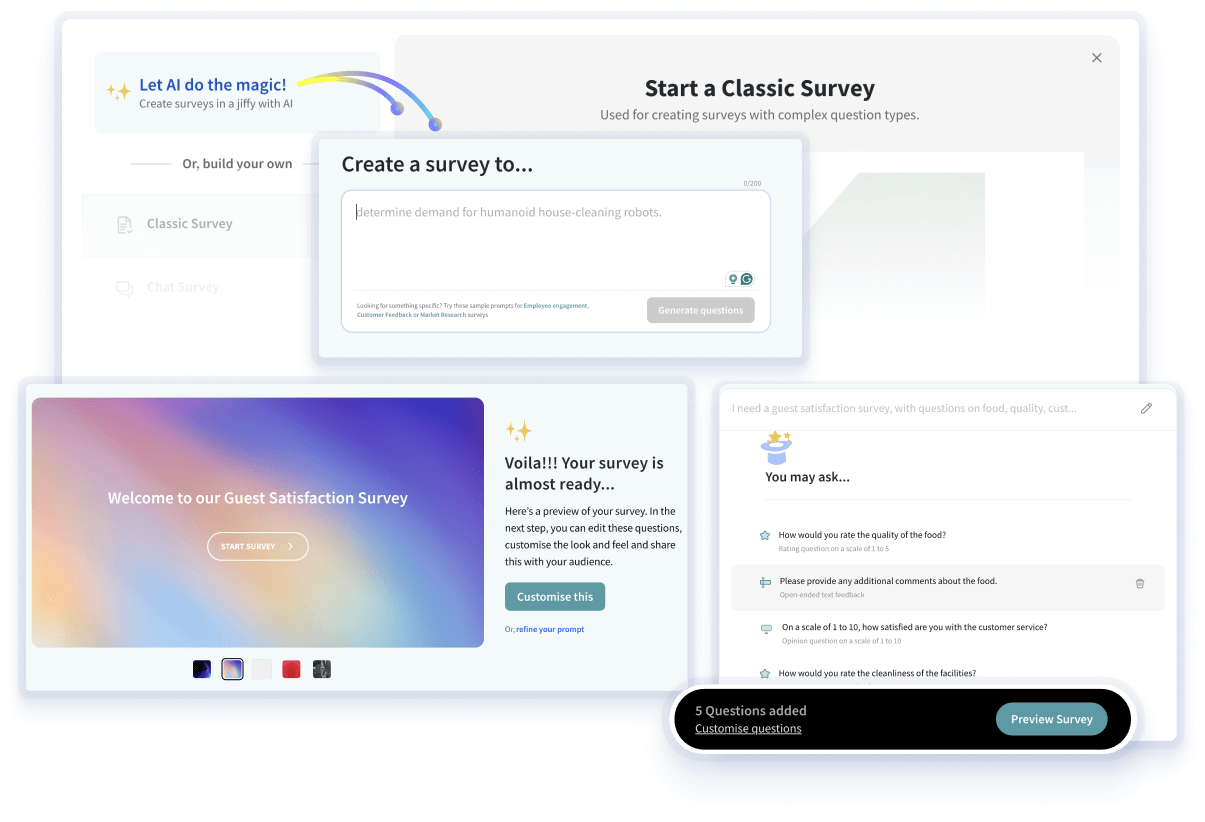
Finding it difficult to come up with poll questions and answers? We have got you covered. SurveySparrow’s new AI feature will make survey generation easier and more engaging. And that’s not it, there’s more.
As you can see how basic Google Forms is when compared to SurveySparrow. Yes, Google Forms is a decent tool for building polls and surveys. But when it comes to creating surveys that help you grow your business, SurveySparrow surely is the better choice.

A personalized walkthrough by our experts. No strings attached!


Thousands of brands trust SurveySparrow to turn feedback into growth. Try it free today!

Compare
14 MINUTES
25 January 2024

Compare
14 MINUTES
26 November 2021
Compare
14 MINUTES
5 March 2024

Best Of
9 MINUTES
9 May 2021

