Customer Experience
Google Forms RSVP: How to Create a Better RSVP Form

Article written by Kate Williams
Product Marketing Manager at SurveySparrow

10 min read
29 July 2024


Customer Experience
Article written by Kate Williams
Product Marketing Manager at SurveySparrow
10 min read
29 July 2024
Got a birthday bash, anniversary celebration, conference, or some other epic event on the horizon? Then, getting a handle on guests’ RSVPs is crucial.
Knowing who’s coming to your event is key, right? An RSVP form gives event organizers the scoop on their guest count so they can plan perfectly.
Now, like all online form builders, Google Forms has some free RSVP templates that you can use. But how do you actually create one? And hey, is there something even better out there?
Time to find out! In this blog, we’ll cover:
Sending out invites for your event and waiting for those RSVPs? You’re looking for a yes, no, maybe so, right? Once you’ve got a headcount, sorting out the food and drinks is a breeze.
Naturally, you want a packed house. To ensure that, however, you have to make the RSVP process easier for all your guests. That’s where Google Forms RSVP comes in. Let’s break down the steps so you can easily create an RSVP on Google Forms.
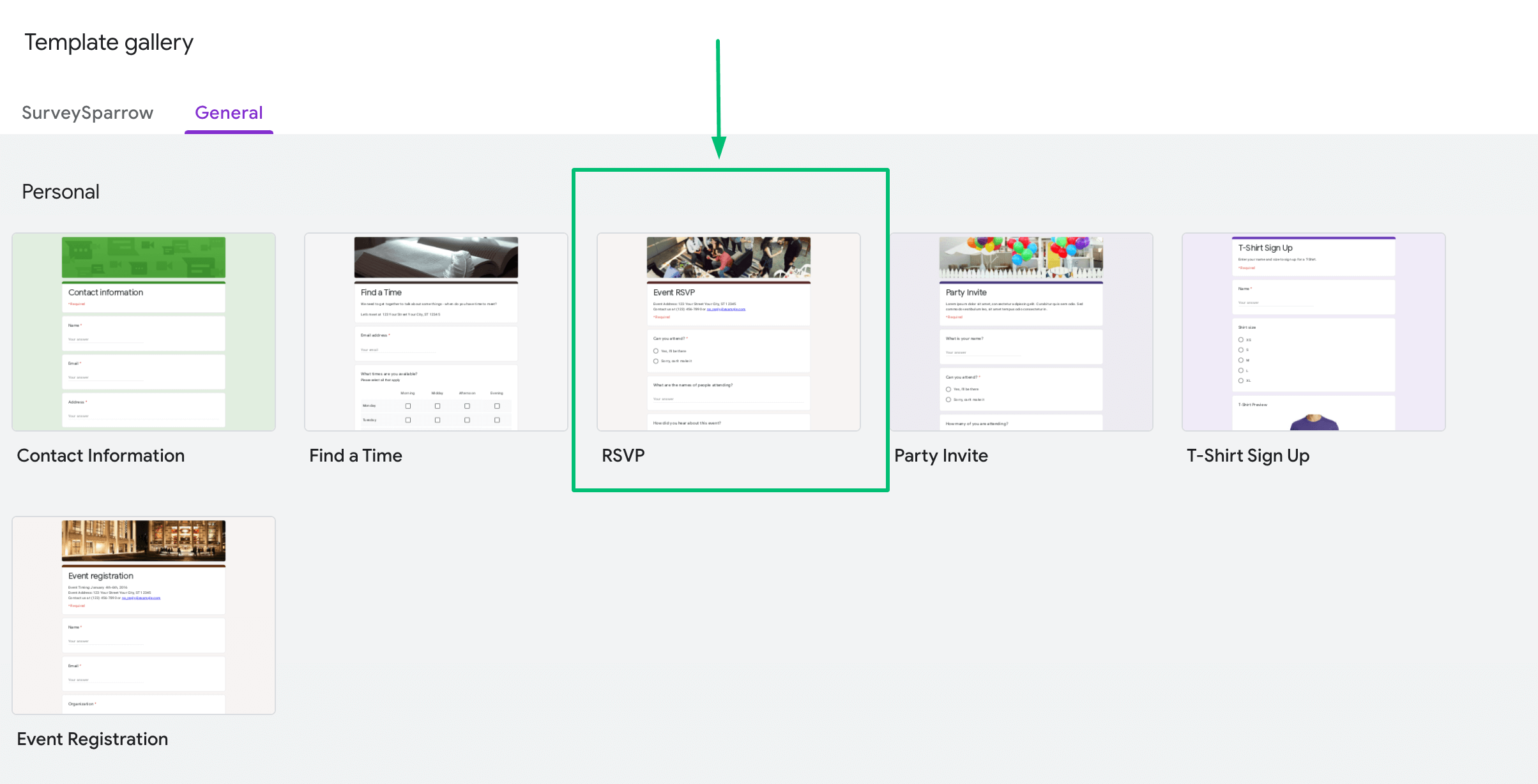
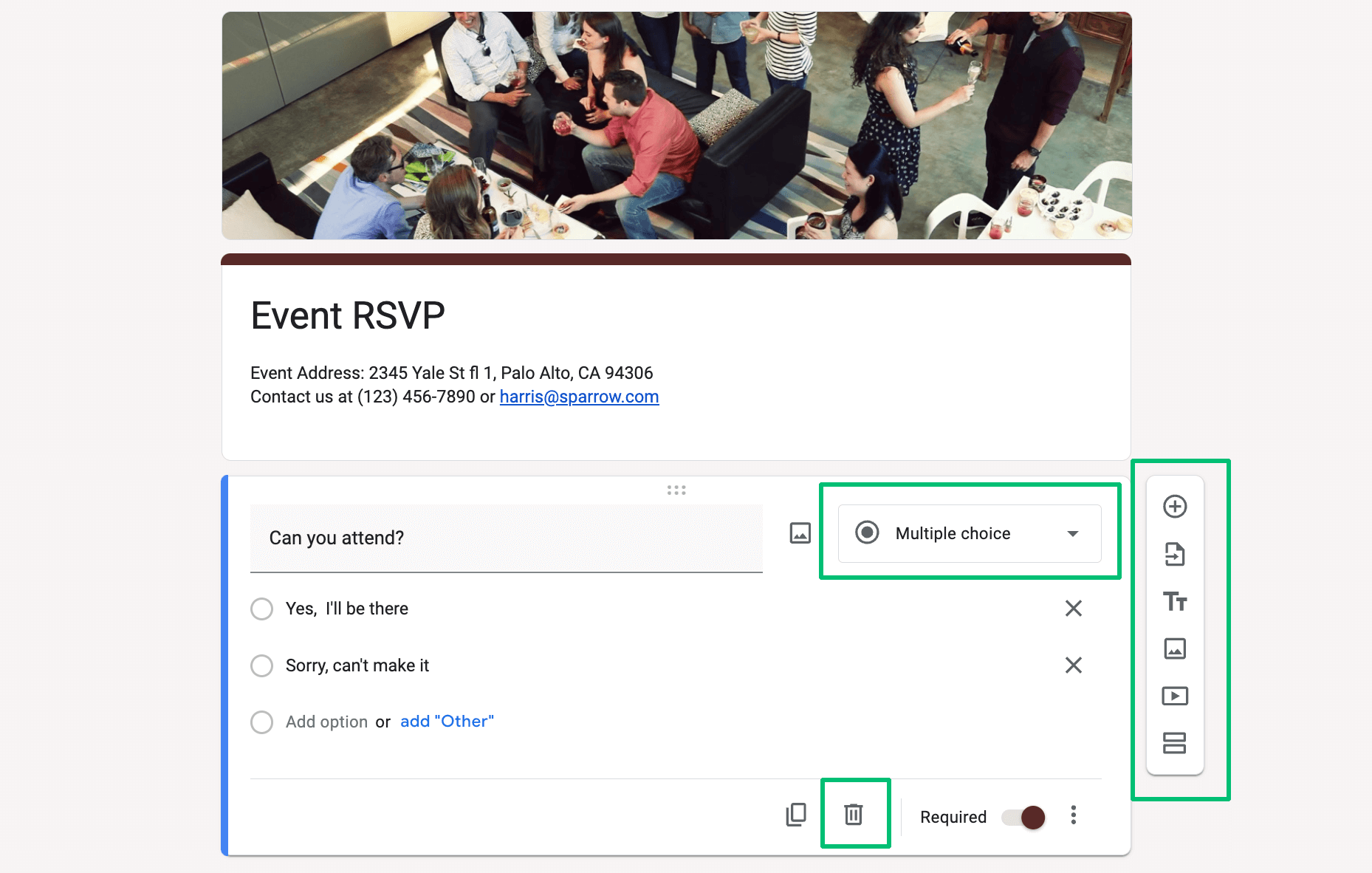
The RSVP form has got the questions you’ll need. But for further customization, here are 6 pointers to follow:
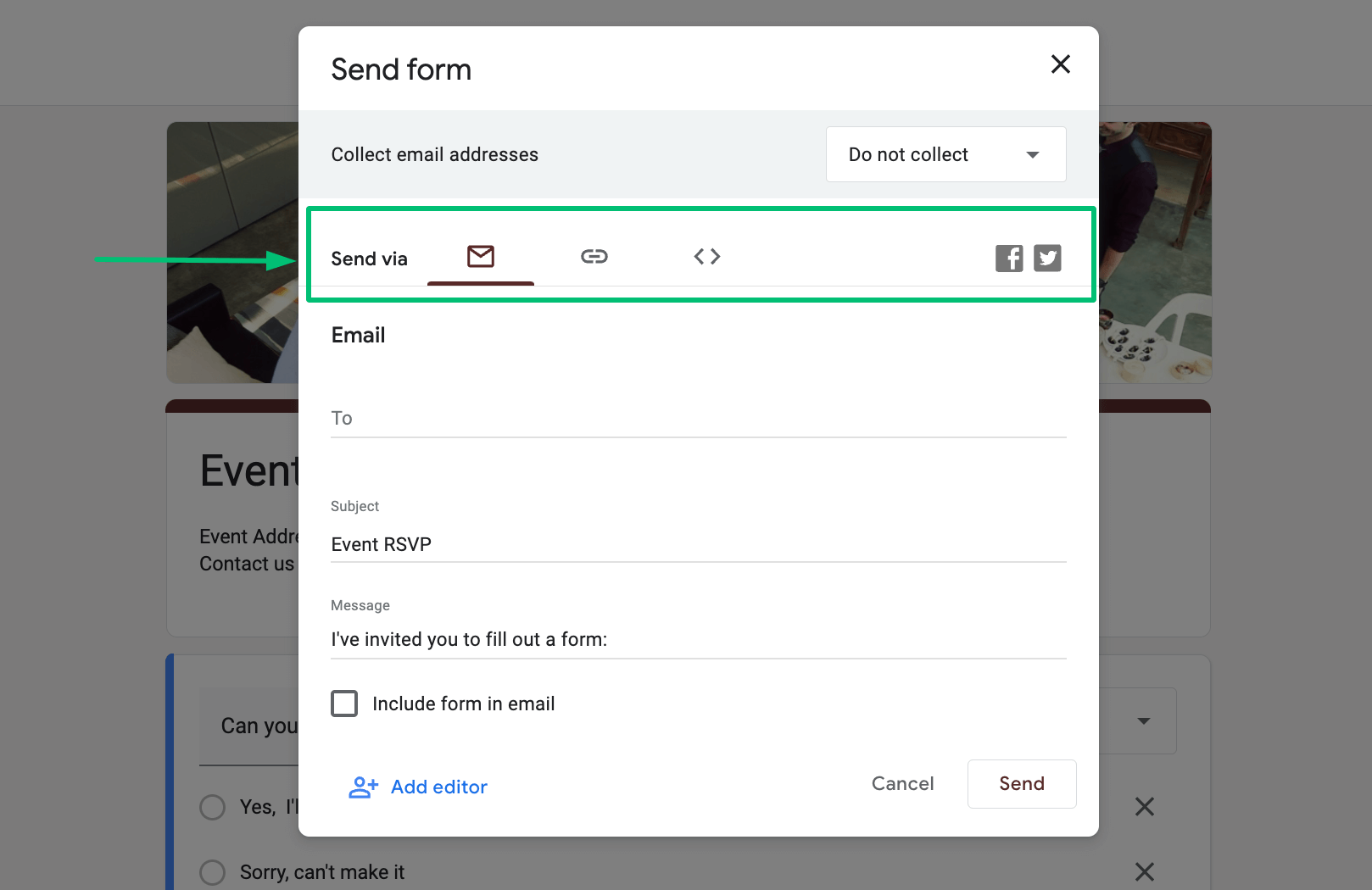
After fully customizing the RSVP form, you can share it via multiple sharing options in Google Forms. Let’s see the 3 options we’re talking about with the steps to use them.
Aside from sending the Google Forms RSVP via email, you can create a link to let all guests access the form over the web. Here’s how:
There’s no option yet for a Google QR code generator. But that doesn’t mean it’s impossible. Here’s how to generate and share the QR code if Google Forms is your survey builder.
Planning a public event and need attendees? Your best bet is to share your Google Forms RSVP on social media. Here’s how to do that:
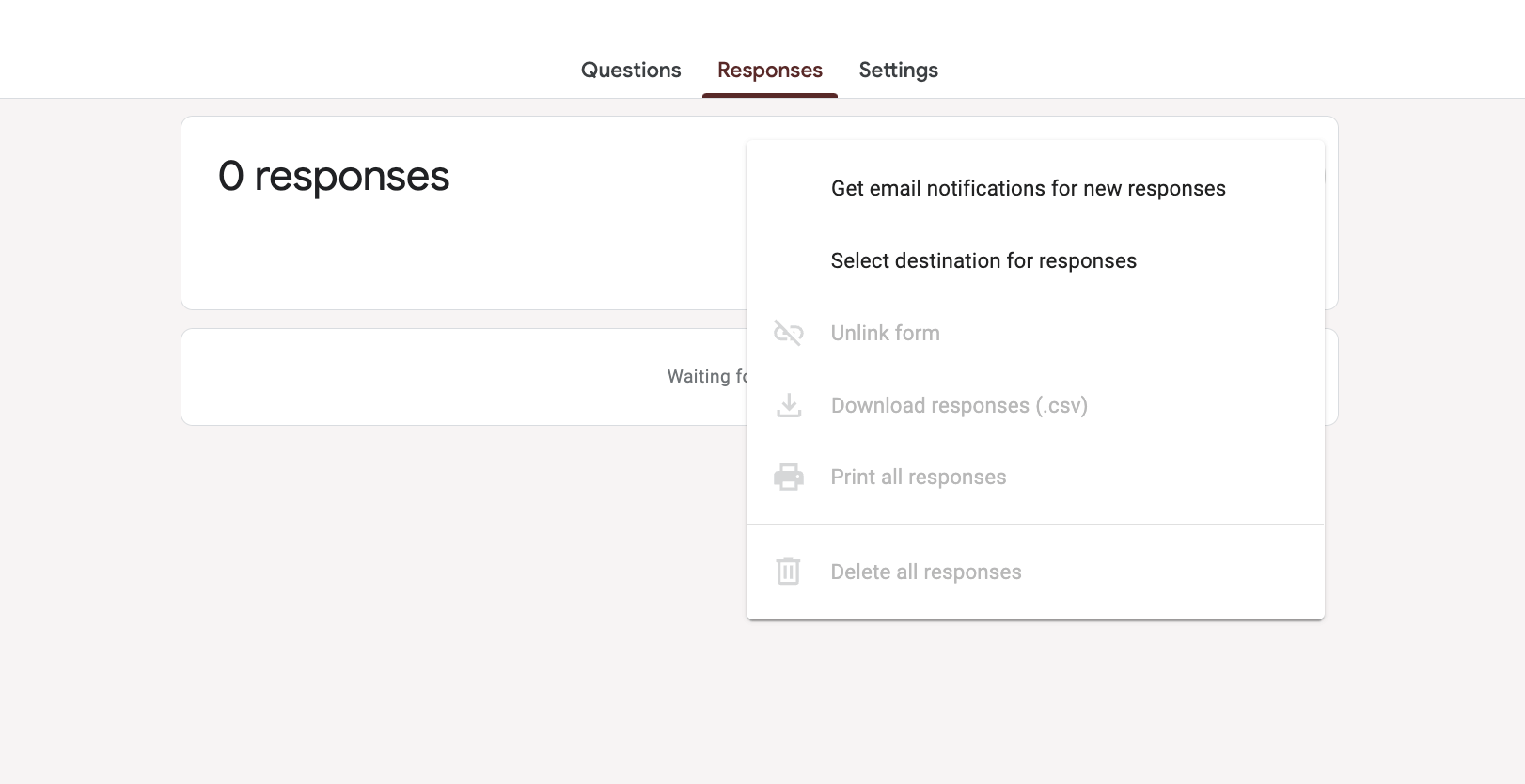
Lastly, you can manually check the total number of guests who’ve responded to your RSVP form in Google Forms. Here’s how:
While Google Forms can be a very useful tool for creating RSVPs, it does have some potential downsides.
Google Forms offers basic customization options. But it might not be sufficient if you’re looking for a highly personalized or branded form. For instance, you cannot fully customize the form’s layout, color scheme, or font beyond the provided themes.
Google Forms does not have a built-in reminder system to send follow-up emails to guests who haven’t responded yet. You’d have to do this manually or use an external tool or service.
If your form is public, and the link is shared widely, you may receive spam responses or responses from uninvited people.
While anyone can fill out a Google Form, you need a Google account to create and manage the forms. This might be a drawback for people who prefer not to use Google services.
Google Forms does not directly integrate with calendar apps to automatically add the event to the respondent’s calendar once they RSVP. However, you can set up this functionality using Google Calendar and Google Forms together. But it requires additional steps.
Google Forms does have some conditional logic features (like showing or hiding questions based on previous responses). But these are limited compared to other form builders.
Google is a US-based company, and data submitted via Google Forms is stored on Google’s servers. This may not meet the data privacy requirements of all people or organizations – particularly those based in the EU or those dealing with sensitive information.
While Google Forms does offer basic response analytics, it might not provide the in-depth data analysis capabilities that some users require.
Remember that the right tool for creating an RSVP will depend on your specific needs. For many, the simplicity, ease-of-use, and cost-effectiveness of Google Forms outweigh these downsides.
Need a (better) free RSVP tool? Use our Forever Free plan packed with all of the essential features you need.
Sign up below and start planning your perfect event for free.

A personalized walkthrough by our experts. No strings attached!
Yes, Google Forms RSVPs are good, and they get the job done. But they often fall short in style and functionality. For a big celebration, why settle for plain-Jane RSVPs?
SurveySparrow’s RSVP templates and video invitation surveys are your answer.
Make your event pop. Click on the template below to start customizing!
RSVP Form
Use This TemplateWith our ready-to-go templates, you can create and send mobile-friendly surveys in a flash. If you’re still mulling it over, let’s dive into a few more reasons why SurveySparrow can be your go-to RSVP tool.
Google Forms is a fantastic form builder that many people and businesses use for their surveys. It does a good job, but is it the best option for RSVPs? We’re not so sure.
Why? Well, when you take a closer look (and we’ll help you do that), you’ll see that SurveySparrow outshines Google Forms in many areas, from RSVP templates to key features.
Google Forms provides basic features to help you collect data. But with SurveySparrow, you get tools that not only collect data, but also help you analyze it for better decisions.
Our recommendation? Give SurveySparrow’s free trial a shot. And if you need a product demo, have a technical query, or just fancy a chat, we’re always here for you.


Thousands of brands trust SurveySparrow to turn feedback into growth. Try it free today!


Customer Experience
9 MINUTES
25 April 2023

Customer Experience
8 MINUTES
30 June 2023

Customer Experience
6 MINUTES
21 June 2023

Customer Experience
18 MINUTES
31 July 2023

